knokknokD
knokknokD

knokknokD

Visual designer exploring motion, interaction, 3D, and AI.Creating digital experiences you want to play with, not just look at.

Creator24 Components
knokknokD
knokknokDin Marketplace·11h

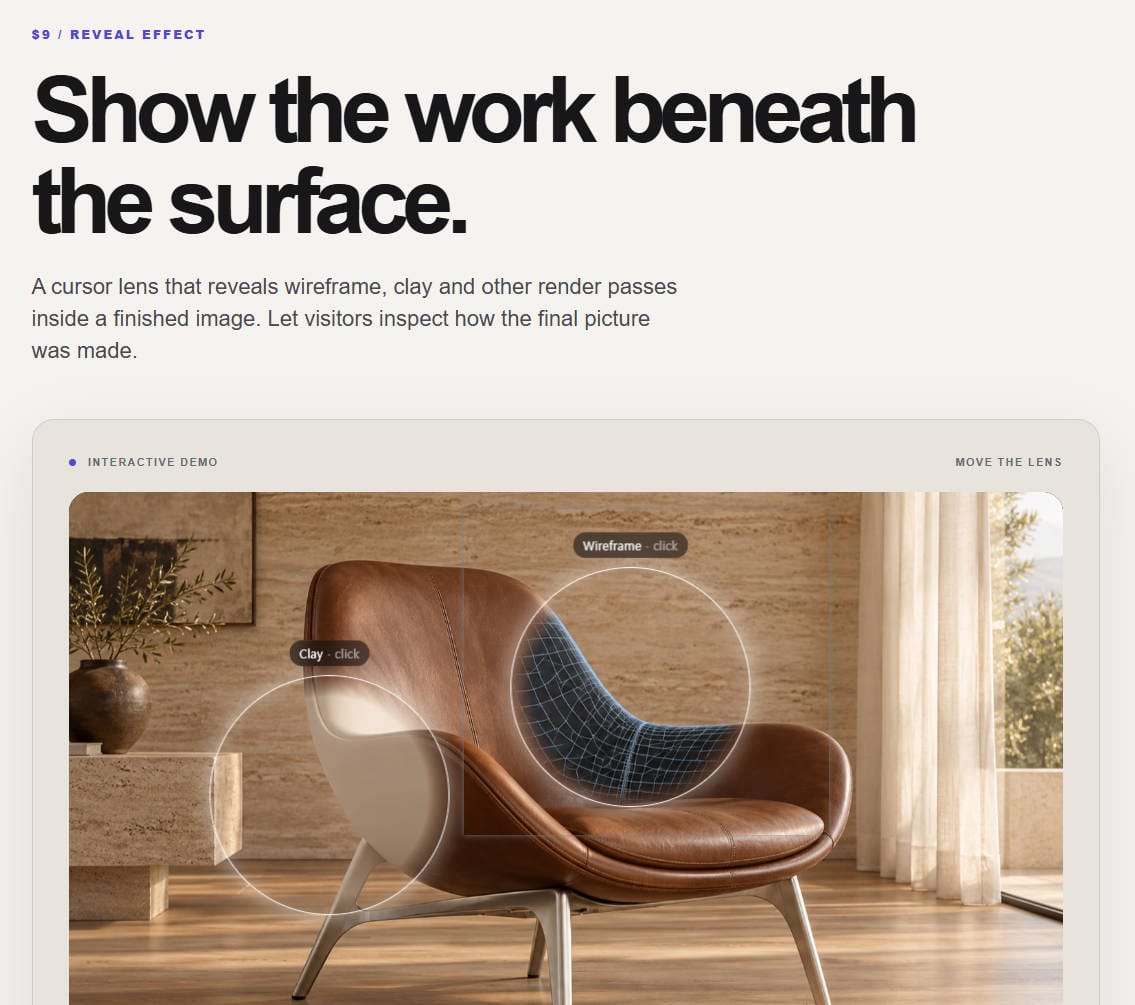
🔍 Let visitors see beneath the final render.

Material Lens reveals a second image only inside a moving cursor lens. Show a wireframe-style pass, clay view or any before/after pair, then switch to a full wipe comparison. Supply aligned images of your own work for the best result.

Move the lens in the live preview 👇

https://fun-pitch-334364.framer.app/

knokknokD
knokknokD19h

Just a quiet builder at heart who struggles with marketing... 😅

I've got a whole stash of components/experiments sitting on my drive, and I’m slowly releasing them one by one!

Honestly, it still feels so surreal whenever someone likes my post or hits follow. Huge thank you to everyone supporting my work—it truly keeps me going! ❤️

Lately, I’ve also been dipping my toes into Reddit and X to share my process. For those of you sharing your work out there—how do you usually handle marketing and stay consistent with posting? I’d love to hear your stories or tips! ☕✨

knokknokD
knokknokDin Marketplace·19h

🛍️ Keep the shortlist in view.

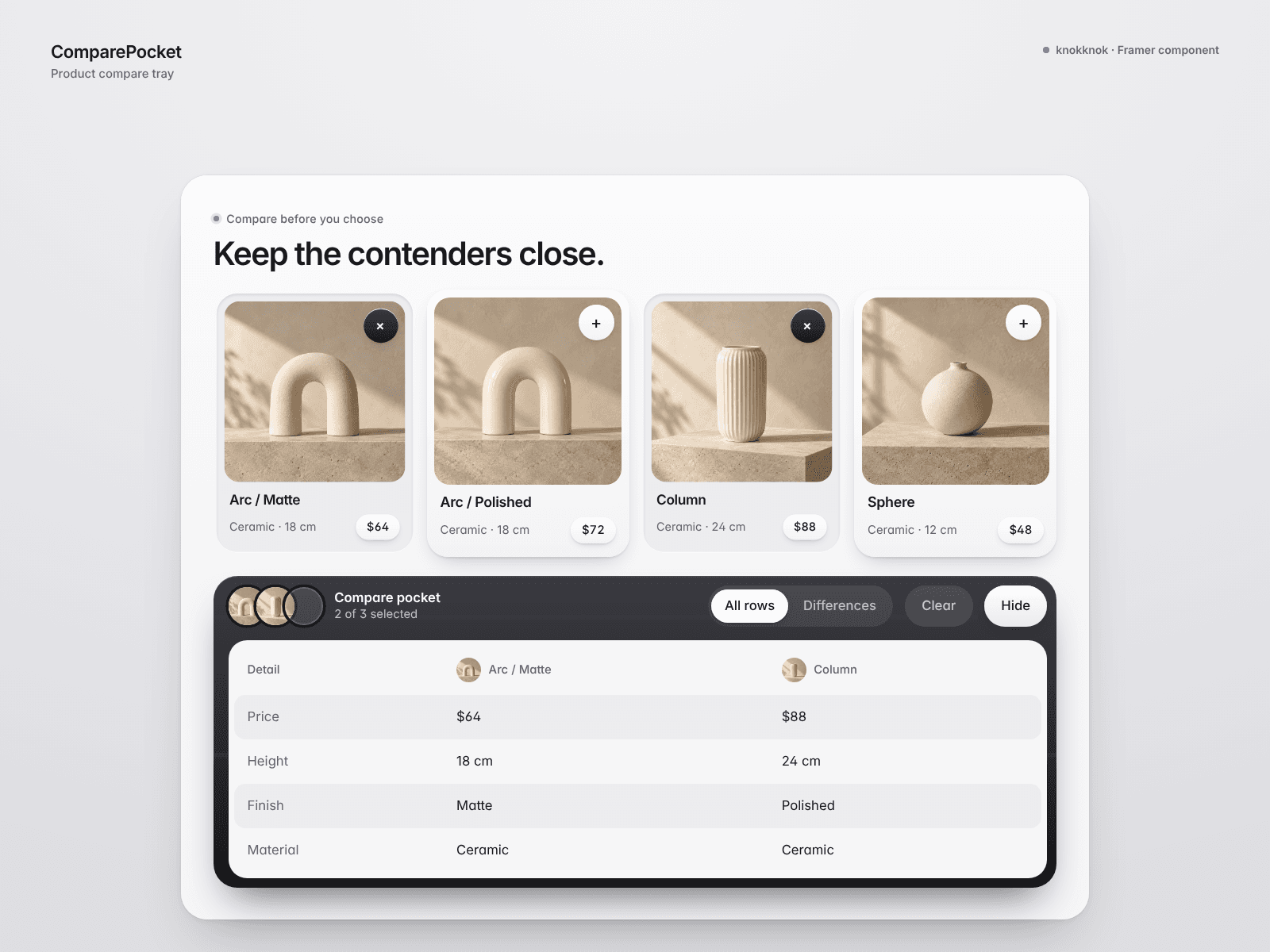
ComparePocket lets visitors select 2–4 products and compare them in a compact tray on your Framer page.

Show thumbnails, choose comparison rows, and let visitors focus on differences only. The tray can be opened, collapsed or cleared.

Useful for small product collections and digital assets. Products are entered manually; this is a comparison tool, not a connected shopping cart.

Try the live preview 👇

https://wise-variations-666122.framer.app/

knokknokD
knokknokDin Marketplace·21h

🪴 A product filter that keeps choices grounded in your collection.

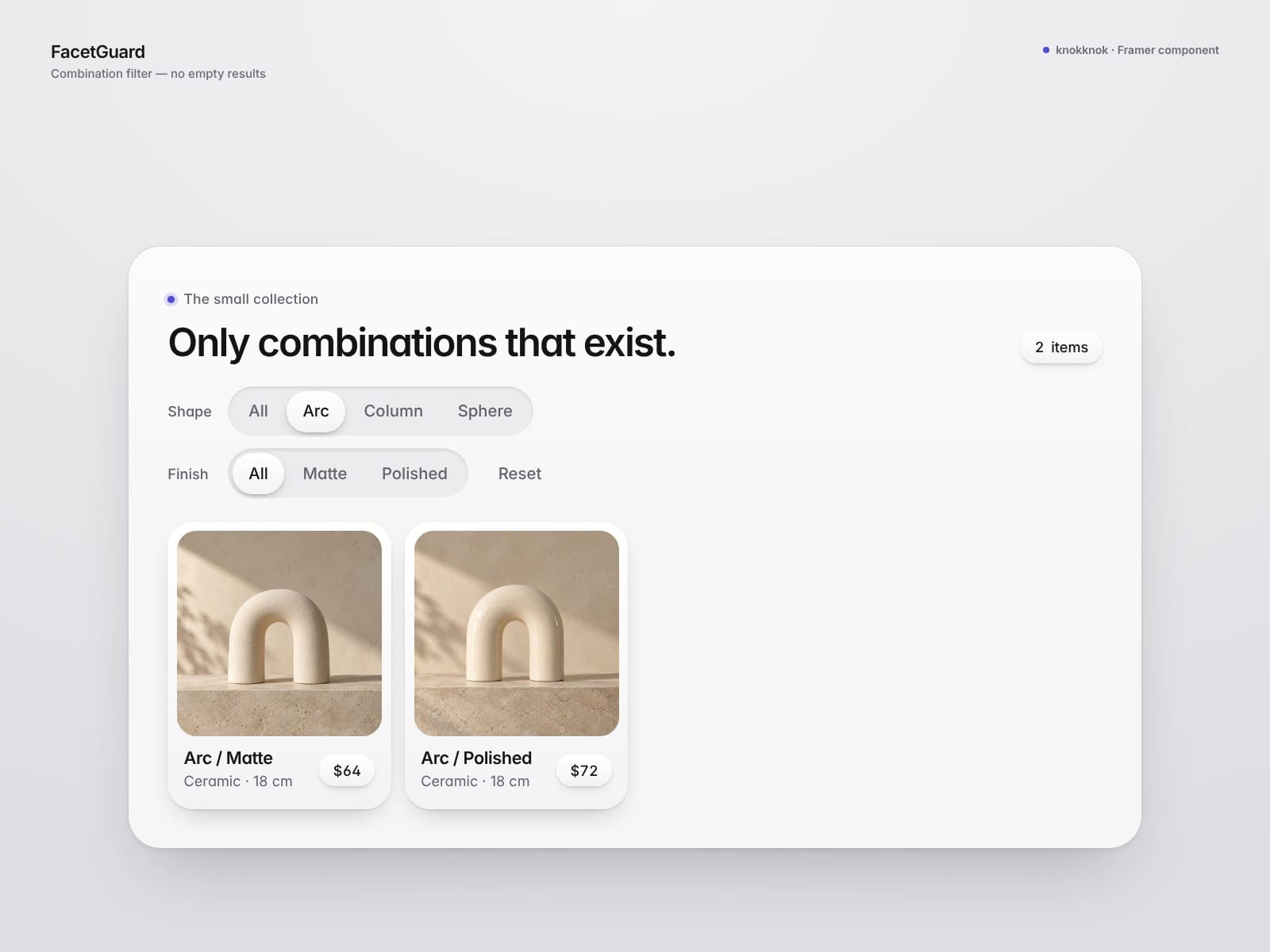
FacetGuard builds two filter rows from your products' shape and finish values, then disables combinations that have no matching items.

Add up to 10 products with images, prices and optional links. The animated grid, result count and reset button make a small collection easy to explore.

Made for manually curated collections in Framer. No CMS or store connection is included.

Try the live preview 👇

https://confident-perspective-273267.framer.app/

knokknokD
knokknokDin Marketplace·1d

🔎 Show the thinking behind your design.

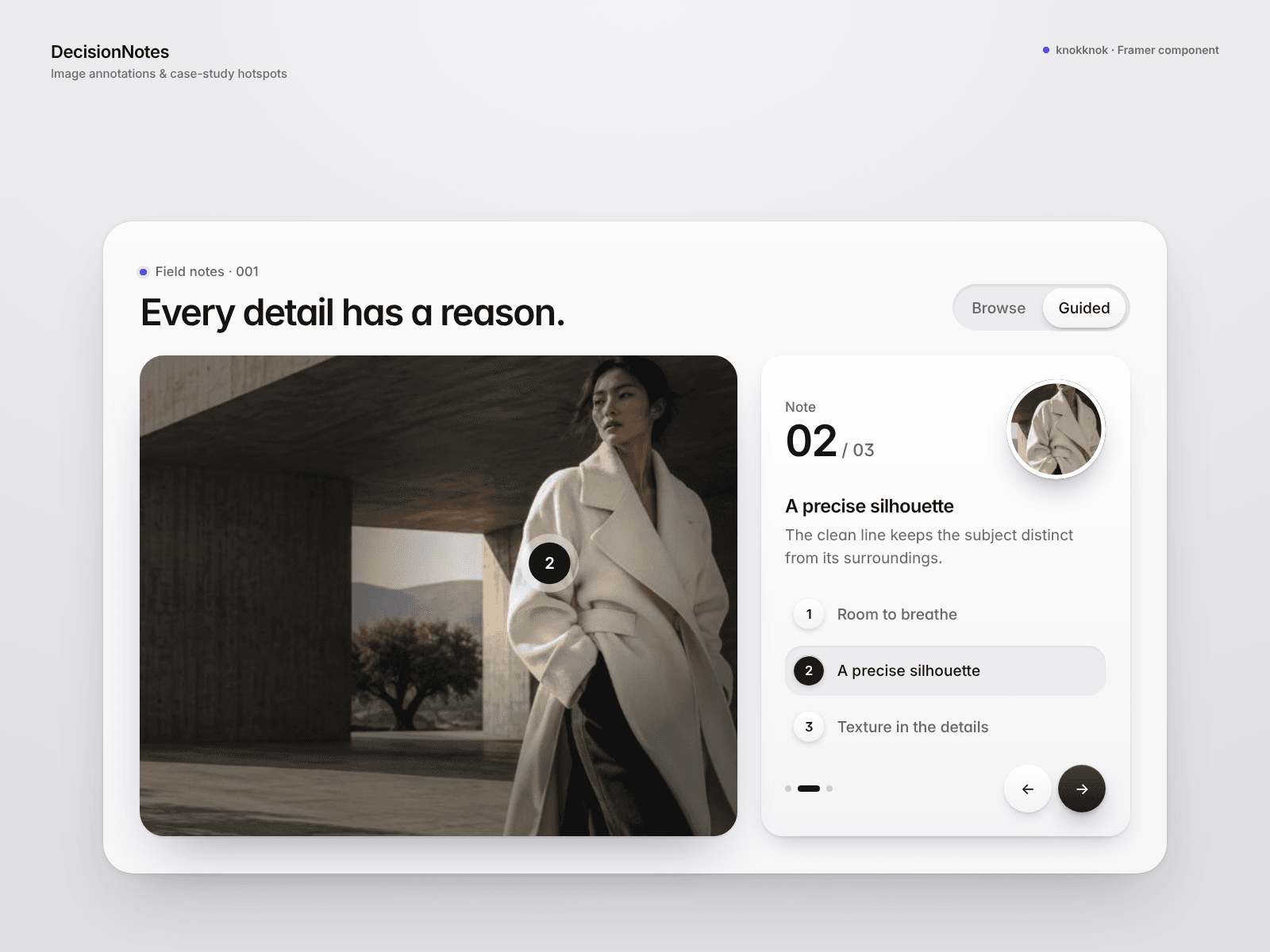
DecisionNotes adds numbered image annotations, a magnified detail lens and a guided zoom tour to Framer case studies.

Visitors can move through your notes without losing the visual context. An optional editor lets you drag or nudge pins, then copy their coordinates into Framer.

Made for portfolios and visual walkthroughs. Edited positions must be pasted into the component properties to save them.

Try the live preview 👇

https://fulfilled-others-037986.framer.app/

knokknokD
knokknokD1d

🧩 Building a lead form or client intake in Framer?

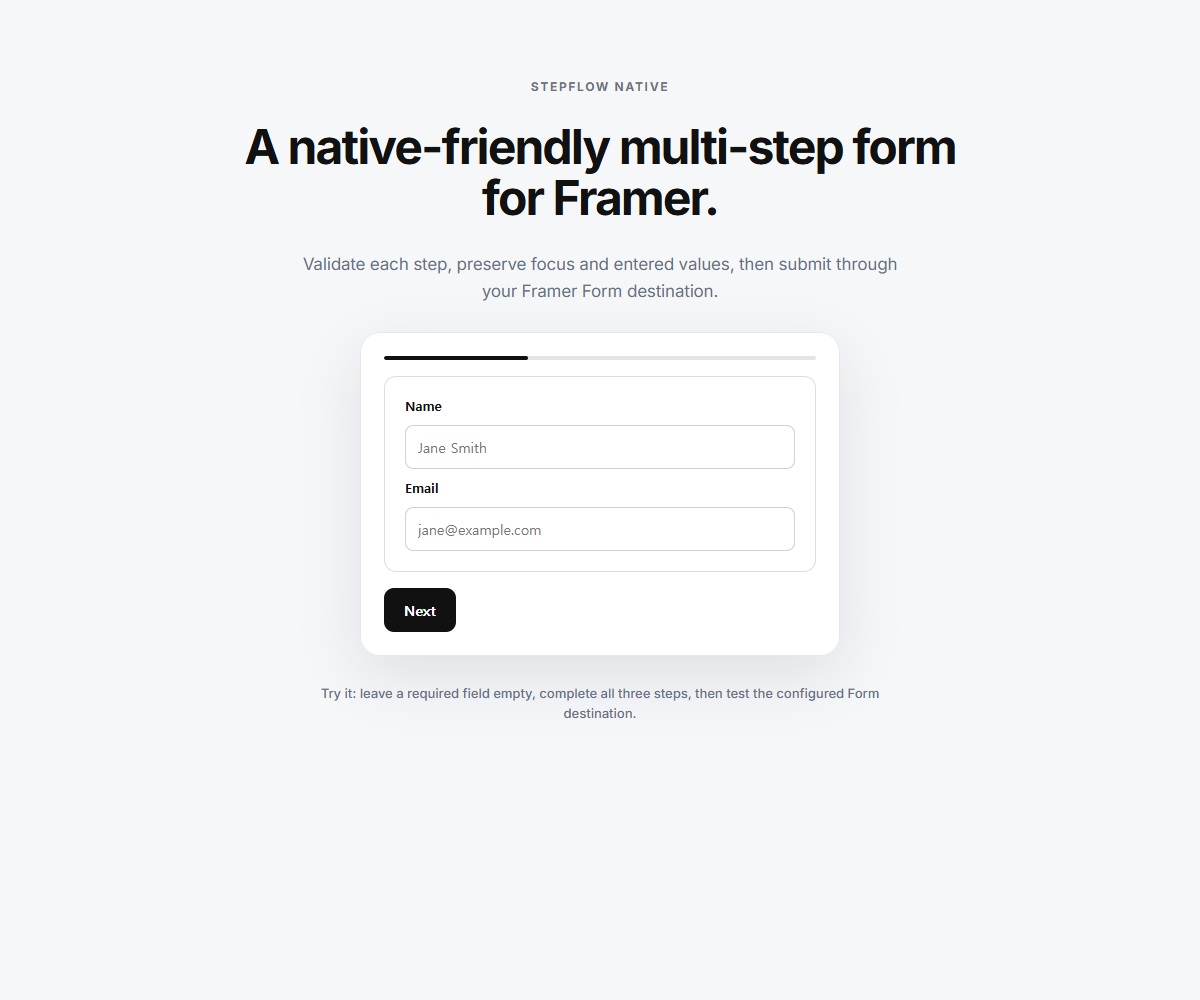
I built StepFlow Native to turn a long Framer Native Form into a step-by-step experience. I’ve confirmed that submissions from the live demo reach my inbox, and I’d love to see how it feels for someone building a real form.

Try the demo from the Marketplace page and send a test submission. Use an email address I can reply to, and add one sentence in the message about the form you’re building. Please don’t include any sensitive or client information.

I’ll personally reply to the first 20 people with a $8-off code for StepFlow Native !!

👉 https://sub.chujiqiqi.com/marketplace/components/stepflow-native/

What kind of form are you working on?

StepFlow Native — Component for Framer
framer.com · Multi-step forms, still native — StepFlow Nati…
knokknokD
knokknokDin Marketplace·1d

💬 Show the conversation before sign-up.

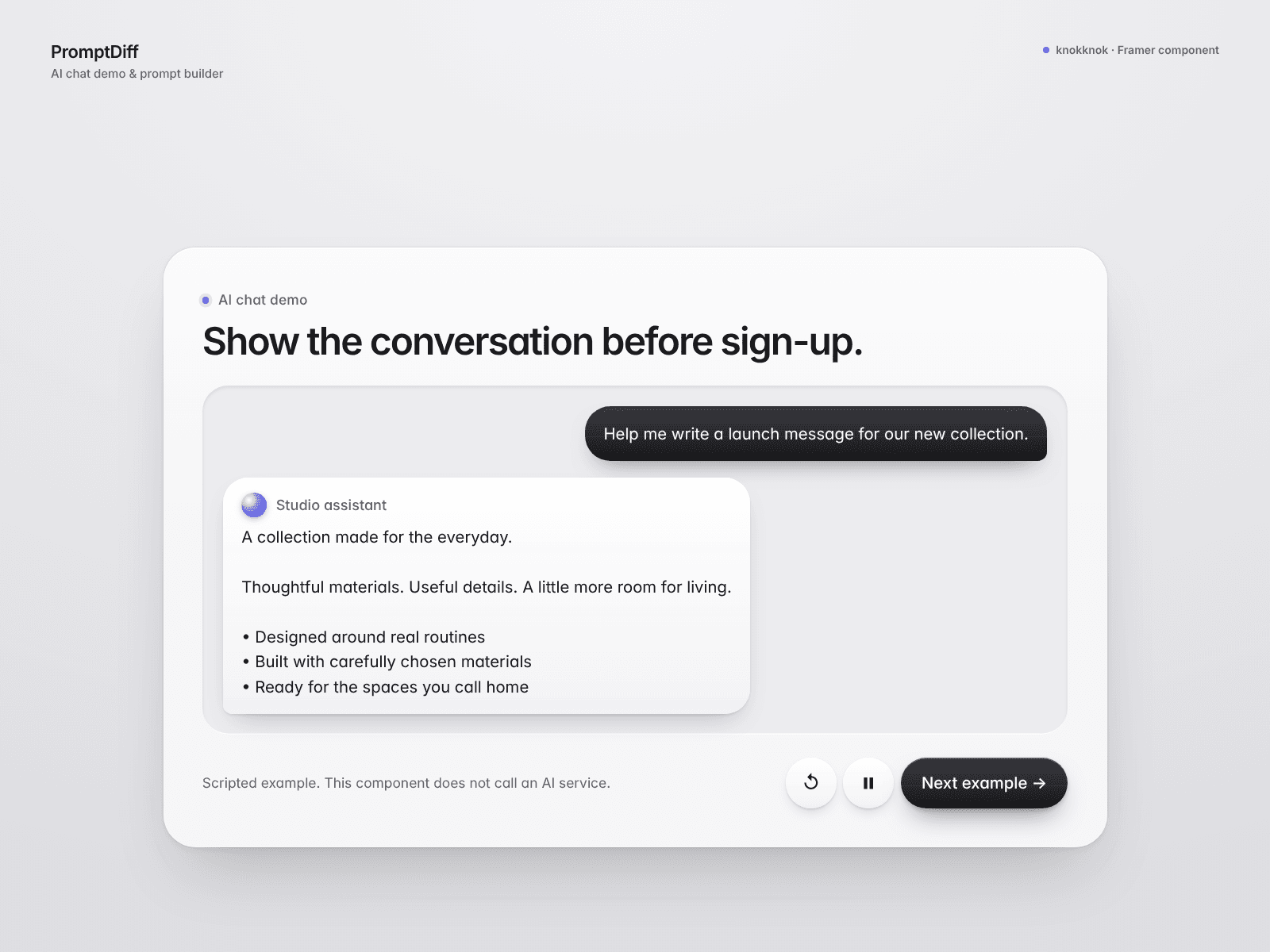
PromptDiff is a scripted AI chat demo and prompt builder for Framer landing pages. Written responses appear word by word, with replay, pause and next-example controls.

In Builder mode, visitors add prompt ingredients and see your basic or detailed example answer.

Use it to explain an AI product or teach prompt structure. Every response is text you supply; no AI service is called.

Try the live preview 👇

https://pink-effect-728198.framer.app/

knokknokD
knokknokDin Marketplace·2d

🧩 Let the image arrive piece by piece.

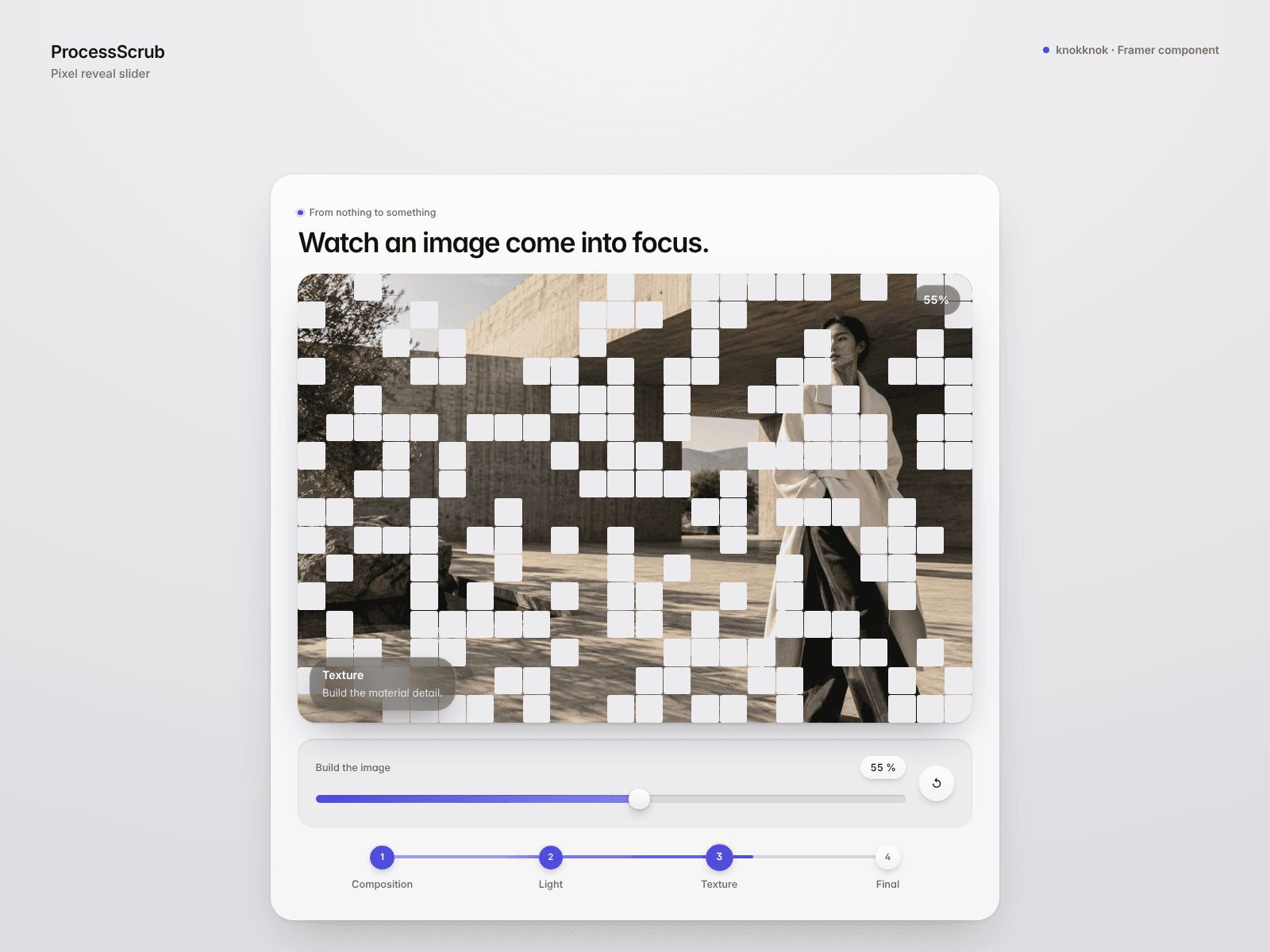
ProcessScrub reveals one image through pixels or a blur-to-sharp effect in Framer. Drive it with a slider or page scroll, and choose random, left-to-right or center-out pixel order.

Add clickable stage labels and adjust the pixel density to match your artwork.

A playful reveal for portfolios and visual product stories. It reveals your supplied image; it does not generate artwork or intermediate process images.

Try the live preview 👇

https://rational-try-186171.framer.app/

knokknokD
knokknokDin Marketplace·2d

▶️ Let visitors explore your product story at their own pace.

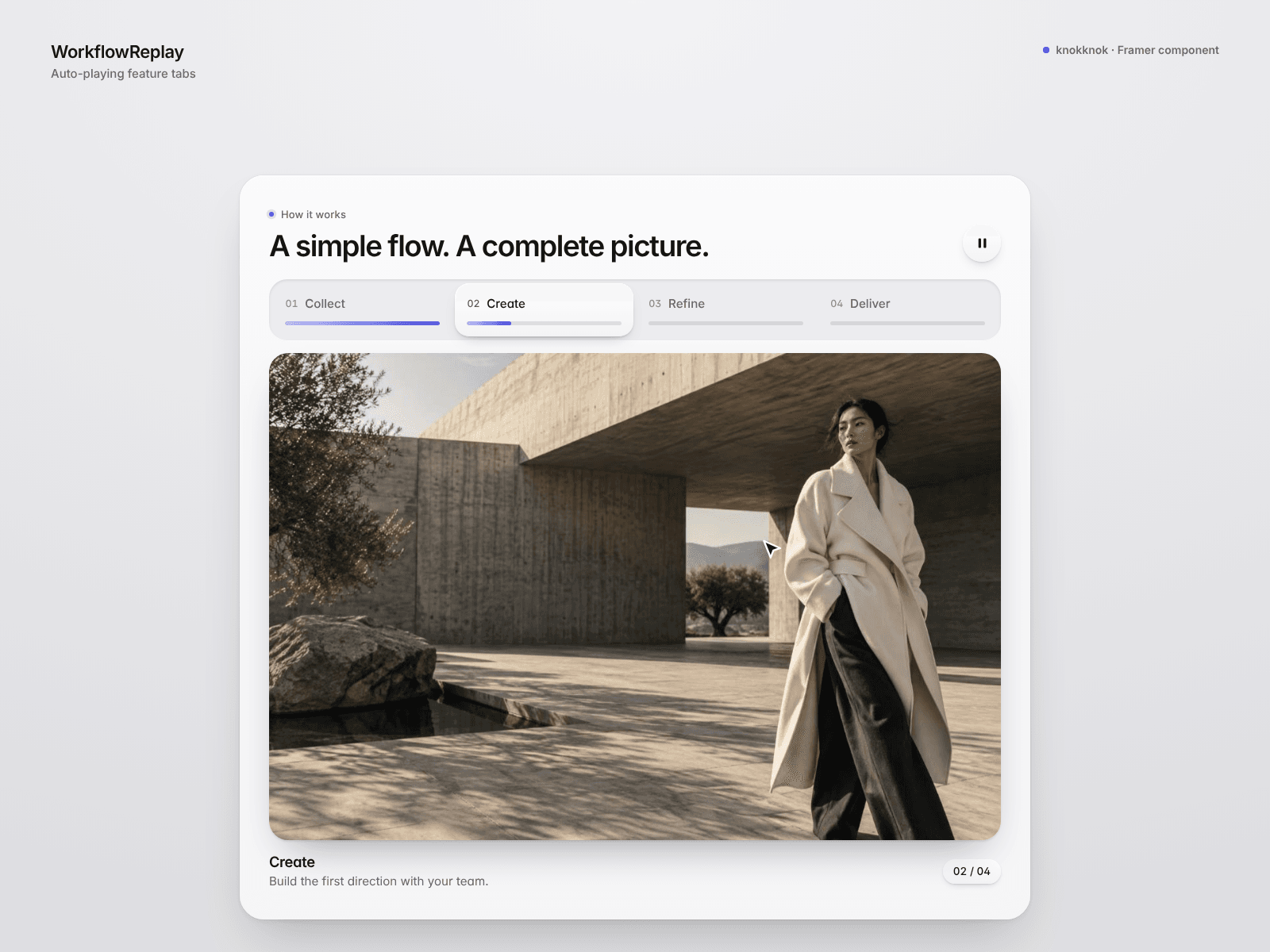
WorkflowReplay brings auto-playing feature tabs to Framer. Add images and descriptions, choose top or side tabs, and let progress bars guide visitors through each step.

Visitors can pause or jump to a tab. Autoplay pauses off screen and respects reduced-motion preferences.

An optional animated demo cursor adds context. The tour uses still images, not a live product recording.

Try the live preview 👇

https://scary-deliberate-984328.framer.app/

knokknokD
knokknokDin Marketplace·3d

📦 Give your digital product a visual unboxing.

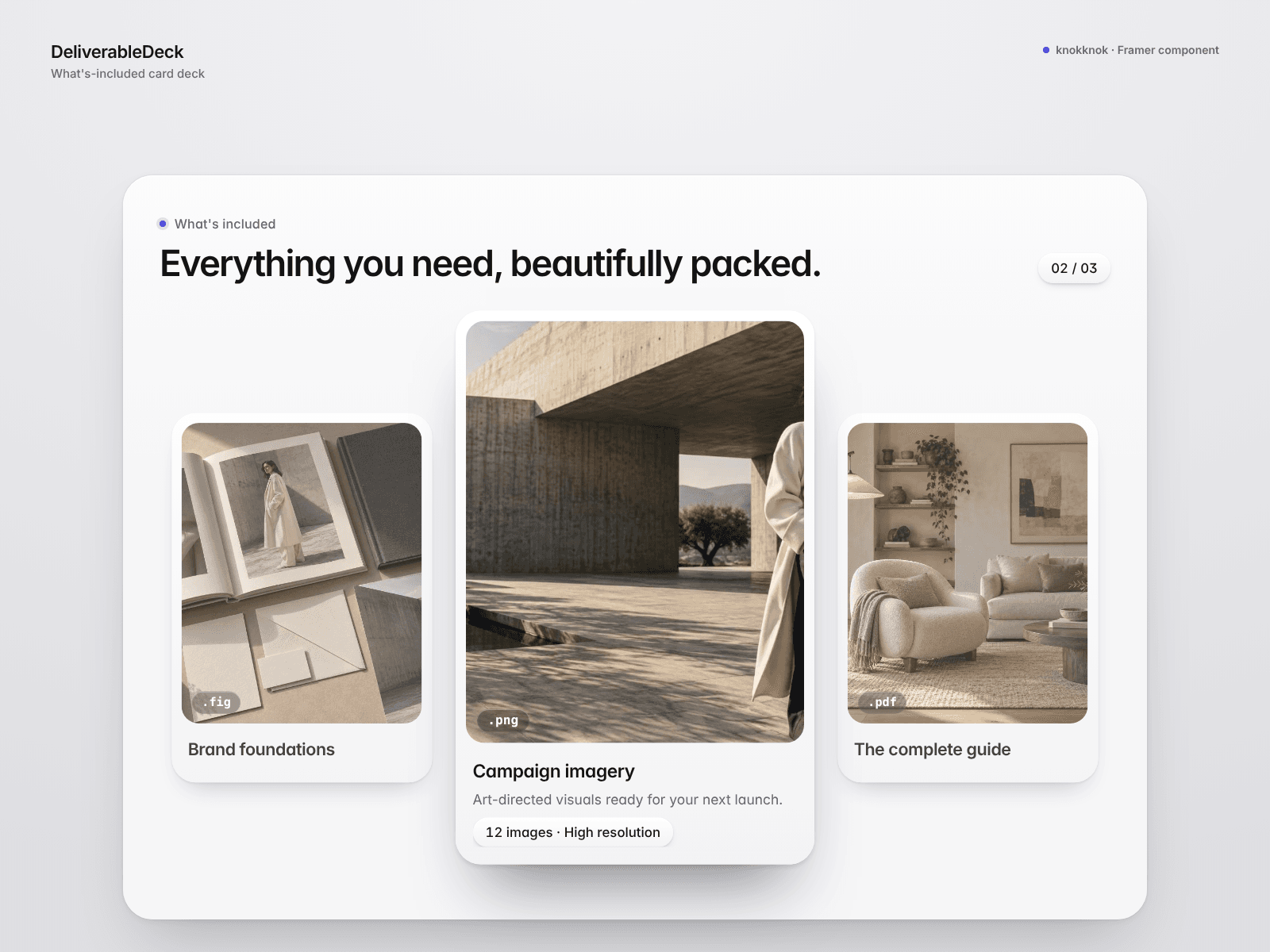
DeliverableDeck shows what's included as an interactive deck of image cards in Framer. The selected card lifts and grows while the others ease back.

Add your images, file-type labels and delivery details. Optional hover selection and entrance motion help tell the story; narrow screens use a vertical stack.

Great for brand kits, templates and studio packages. The cards showcase contents; they do not deliver files.

Try the live preview 👇

https://frequent-try-436677.framer.app/

knokknokD
knokknokDin Marketplace·4d

🎛️ Help visitors compare usage-based plans.

UsageMeter is a Framer pricing slider that calculates each plan's cost and highlights the cheapest at the selected usage level.

Set base fees, included units and overage rates. Add an annual discount, plan links and an optional mechanical digit style.

Built for pricing-page demos, with editable soft UI and Light/Dark themes. Calculation only; billing and usage-data connections are not included.

Try the live preview 👇

https://innovative-functions-784320.framer.app/

knokknokD
knokknokDin Marketplace·4d

⏳ What could your visitors do with the hours they save?

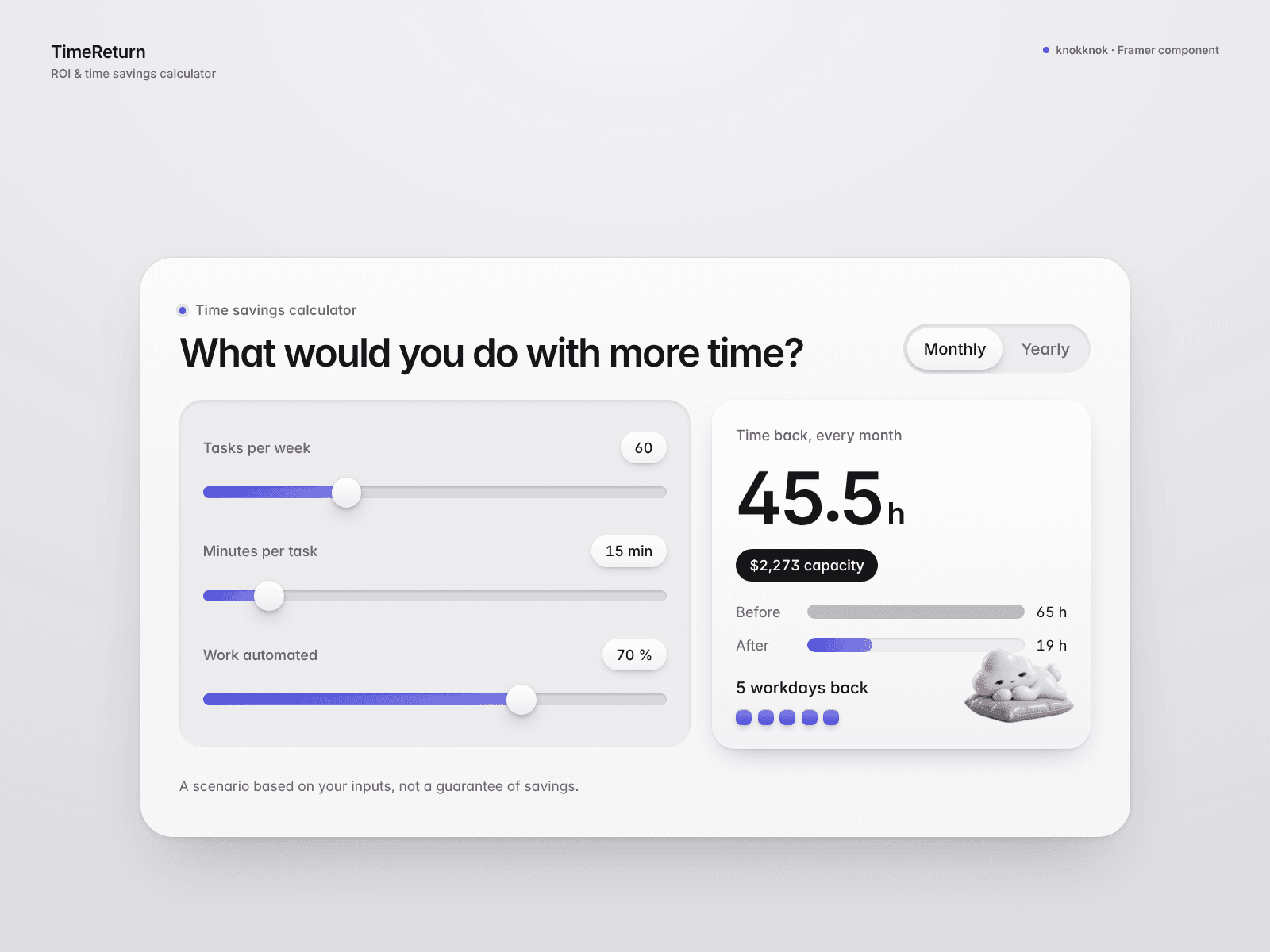
TimeReturn turns workload assumptions into an interactive time-savings scenario for Framer. Adjust tasks, minutes and automation share to see monthly or yearly hours saved and their value at your chosen hourly rate.

Before/after bars and workday blocks make the numbers easier to read. An optional mascot adds a little personality.

Results are estimates based on inputs, not measured savings.

Try the live preview 👇

https://sociable-innovation-119296.framer.app/

knokknokD
knokknokDin Marketplace·5d

🧮 A clearer starting point for project enquiries.

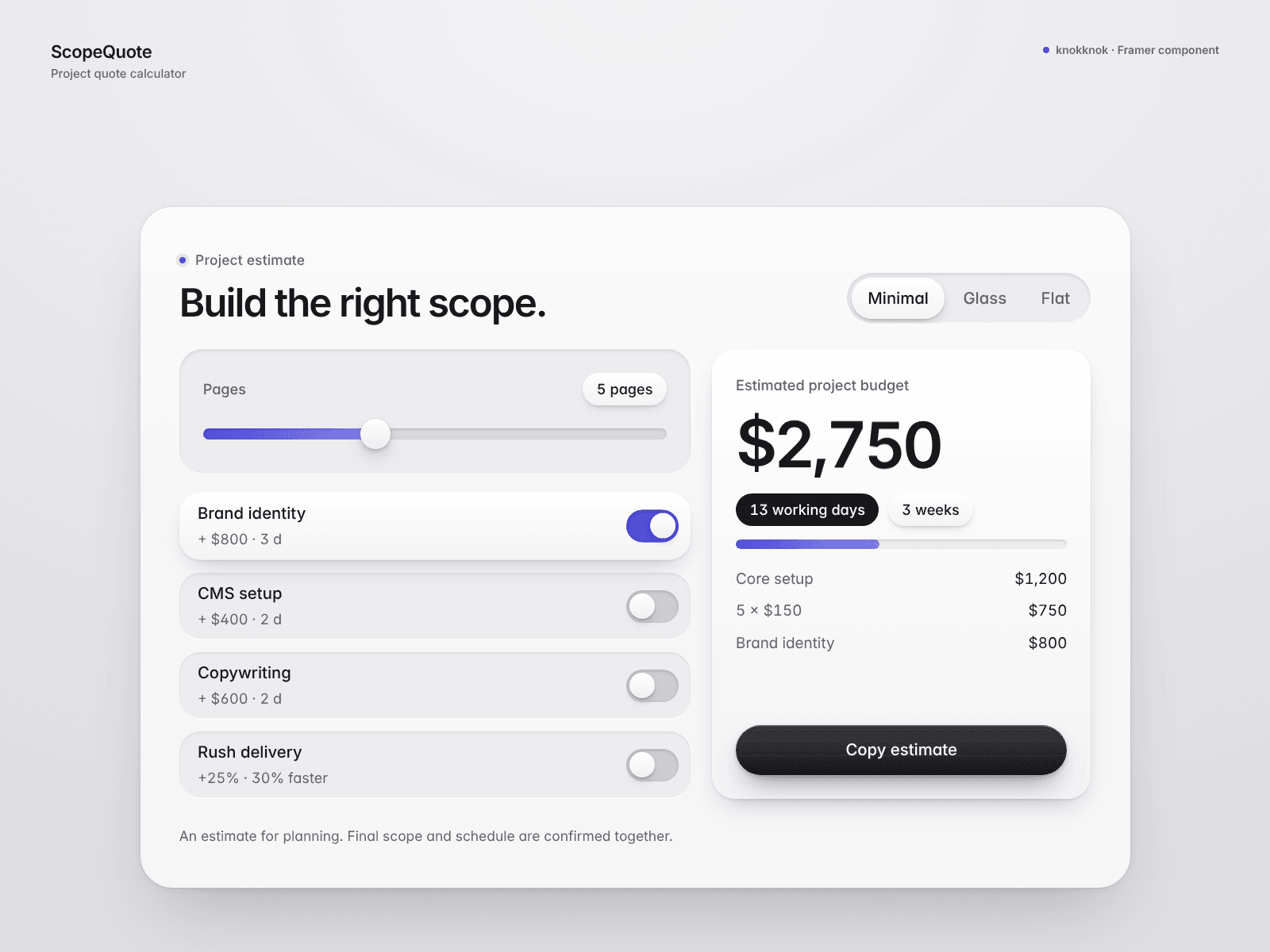
ScopeQuote is a Framer quote calculator for agency and freelance sites. Visitors can adjust page count, add-ons and rush delivery, then copy an estimate with a cost breakdown and working-day timeline.

Choose exact, range or starting-from prices, plus Minimal, Glass or Flat presets.

Estimates use your rates. Receiving enquiries requires your own HTTPS form endpoint.

Try the live preview 👇

https://discreet-messages-429279.framer.app/

Reposted by knokknokD
knokknokD
knokknokD2mo

I started learning Framer from an ebook… then wondered: “Why am I only getting likes?”

Hi! I’m a visual designer who loves motion, interaction, and anything that feels satisfying to look at. 👋

I recently started diving deeper into Framer after reading an ebook about it.

Interactive components, micro-interactions, playful sections… I was having so much fun that I started making things and putting them out there.

But then I noticed something interesting.

People were liking my work, but there wasn’t much clicking or buying.

And I kept wondering:

“Why do people like this… but not actually use it?”

That question made me think more seriously about what people come to the Framer marketplace and community for.

As a designer, I naturally want to make beautiful interactions and interesting motion.

But the person actually building a website may be thinking:

“Can this help me finish my project faster?”

That gap between what I enjoy creating and what someone wants to use right now became really interesting to me.

Then another thought came up:

What if I didn’t have to keep changing numbers and code just to find the right motion?

What if I could adjust motion more visually — almost like tweaking it by feel?

So… I started building exactly that.

And surprisingly, it’s already turning into something that actually works. 🔥

I’m currently experimenting with a tool that makes it easier to play with motion, timing, and visual feel without constantly jumping back and forth between values.

Still very much a work in progress, but I’m having a lot of fun building it.

I’ll share more soon. 🚀

Reposted by knokknokD
knokknokD
knokknokD1mo

I said I’d share more soon… so here it is.

Visual Motion Playground is live.

I built it for that awkward moment before creating a component in Framer — when you know the feeling you want, but not the exact combination of material, depth, timing, and motion values.

The free Lite version lets you explore presets, test interactions, compare different motion feels, and copy the CSS directly from your browser:

👉 https://attached-assets--bloglluukk.replit.app/

Honestly, I have no idea who will actually buy the Pro version.

I made it because I wanted it for my own workflow — not because I had a perfectly validated business plan.

I have a day job, so this doesn’t need to pretend to be a giant startup. It can just be a small, useful tool.

And I’d rather see someone use it than spend too much time optimizing every dollar.

So I made a small launch code for the Framer community:

Use code KNK260 to get Pro for $8 instead of $15.

Available until September 8, 2026 at 00:00 UTC.

👉 https://knokknok1997.lemonsqueezy.com/checkout/buy/238b53fc-de70-4046-b747-edb65a723b4e?checkout%5Bdiscount_code%5D=KNK260

Pro includes deeper Inspector controls, local image testing, the full preset library, CSS and Framer Motion export, JSON export, and a private offline HTML version.

It’s not a Framer plugin yet.

But if people genuinely want an “apply this to my selected layer” button, maybe that becomes the next version.

For now, I’m just curious to see where this little tool ends up. 🔥

knokknokD
knokknokDin Marketplace·1mo

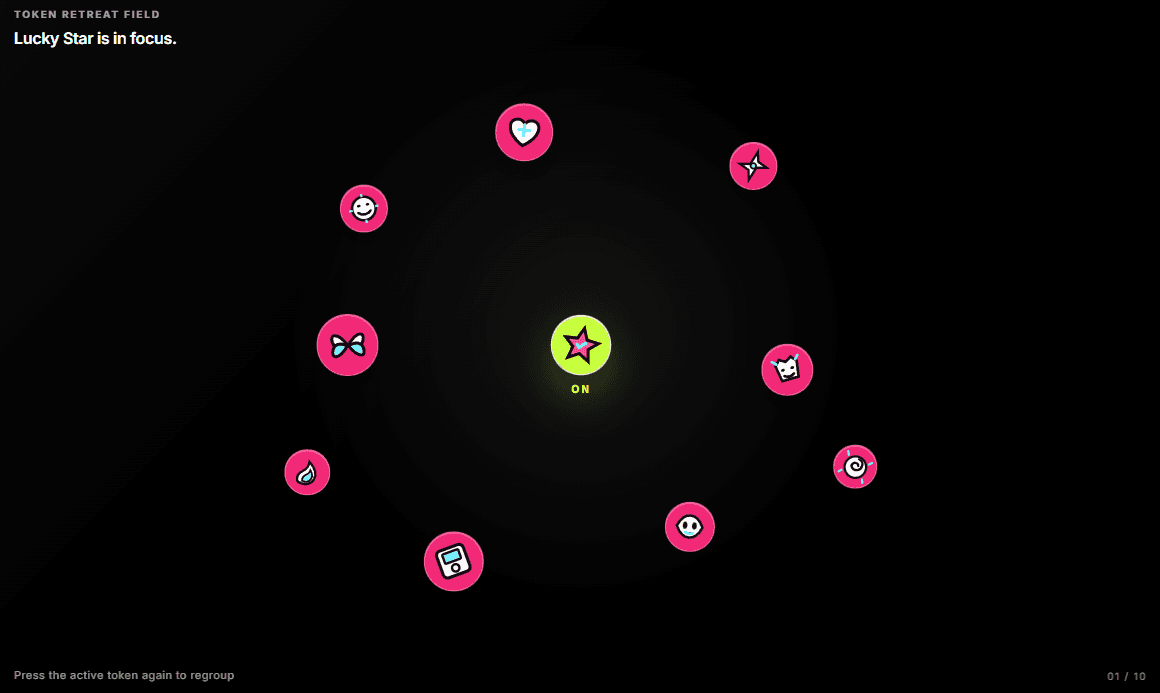
Token Retreat Field starts as a tight pile. Hover gives one token a new skin; press it and the rest make room. Built for image-led launches that want a moment of focus without another generic card grid.

knokknokD
knokknokD1mo

I said I’d share more soon… so here it is.

Visual Motion Playground is live.

I built it for that awkward moment before creating a component in Framer — when you know the feeling you want, but not the exact combination of material, depth, timing, and motion values.

The free Lite version lets you explore presets, test interactions, compare different motion feels, and copy the CSS directly from your browser:

👉 https://attached-assets--bloglluukk.replit.app/

Honestly, I have no idea who will actually buy the Pro version.

I made it because I wanted it for my own workflow — not because I had a perfectly validated business plan.

I have a day job, so this doesn’t need to pretend to be a giant startup. It can just be a small, useful tool.

And I’d rather see someone use it than spend too much time optimizing every dollar.

So I made a small launch code for the Framer community:

Use code KNK260 to get Pro for $8 instead of $15.

Available until September 8, 2026 at 00:00 UTC.

👉 https://knokknok1997.lemonsqueezy.com/checkout/buy/238b53fc-de70-4046-b747-edb65a723b4e?checkout%5Bdiscount_code%5D=KNK260

Pro includes deeper Inspector controls, local image testing, the full preset library, CSS and Framer Motion export, JSON export, and a private offline HTML version.

It’s not a Framer plugin yet.

But if people genuinely want an “apply this to my selected layer” button, maybe that becomes the next version.

For now, I’m just curious to see where this little tool ends up. 🔥

knokknokD
knokknokD2mo

I started learning Framer from an ebook… then wondered: “Why am I only getting likes?”

Hi! I’m a visual designer who loves motion, interaction, and anything that feels satisfying to look at. 👋

I recently started diving deeper into Framer after reading an ebook about it.

Interactive components, micro-interactions, playful sections… I was having so much fun that I started making things and putting them out there.

But then I noticed something interesting.

People were liking my work, but there wasn’t much clicking or buying.

And I kept wondering:

“Why do people like this… but not actually use it?”

That question made me think more seriously about what people come to the Framer marketplace and community for.

As a designer, I naturally want to make beautiful interactions and interesting motion.

But the person actually building a website may be thinking:

“Can this help me finish my project faster?”

That gap between what I enjoy creating and what someone wants to use right now became really interesting to me.

Then another thought came up:

What if I didn’t have to keep changing numbers and code just to find the right motion?

What if I could adjust motion more visually — almost like tweaking it by feel?

So… I started building exactly that.

And surprisingly, it’s already turning into something that actually works. 🔥

I’m currently experimenting with a tool that makes it easier to play with motion, timing, and visual feel without constantly jumping back and forth between values.

Still very much a work in progress, but I’m having a lot of fun building it.

I’ll share more soon. 🚀