About Gridline Gesture
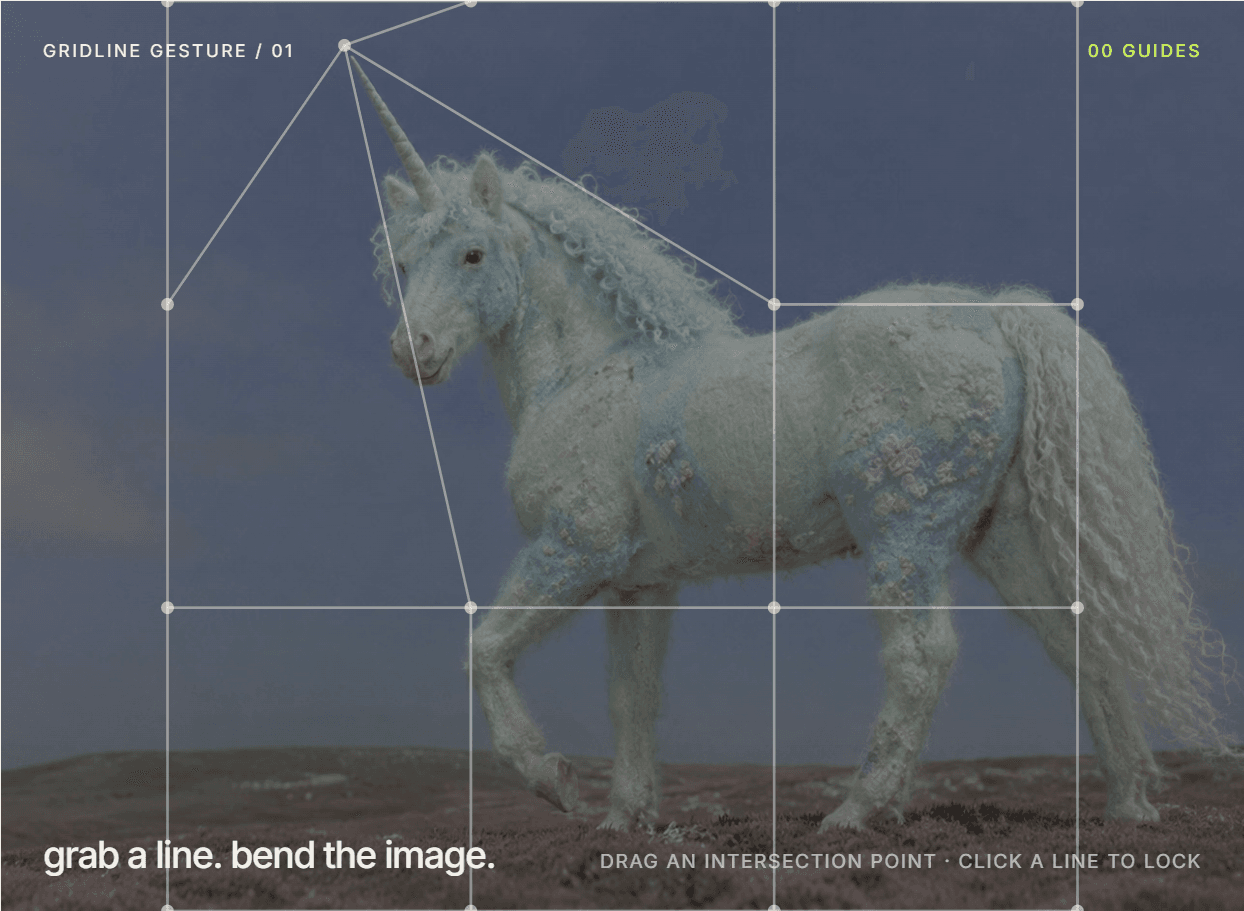
Grab a line. Bend the image.
Gridline Gesture puts a live guide grid over your image. Visitors drag a grid point and the picture warps with it — a small, tactile moment for hero sections and portfolios.
What it does
- Drag any grid intersection to bend the image underneath
- Click a line to lock it, with its own accent color
- Preset bent lines: pick a column or row, line index, bend amount and locked state
- 2–8 columns and 2–12 rows
- Controls for bend strength, point size, line width, grid opacity, radius and image overlay
- Optional eyebrow and caption labels
- Keyboard support and Reduced Motion
How to use
1. Drop it on your page and choose your image in Properties.
2. Set columns and rows.
3. Add Bent Lines if you want the image already bent when the page loads.
Best for: playful portfolios, fashion and art launches, interactive hero sections.