Forms Plugin
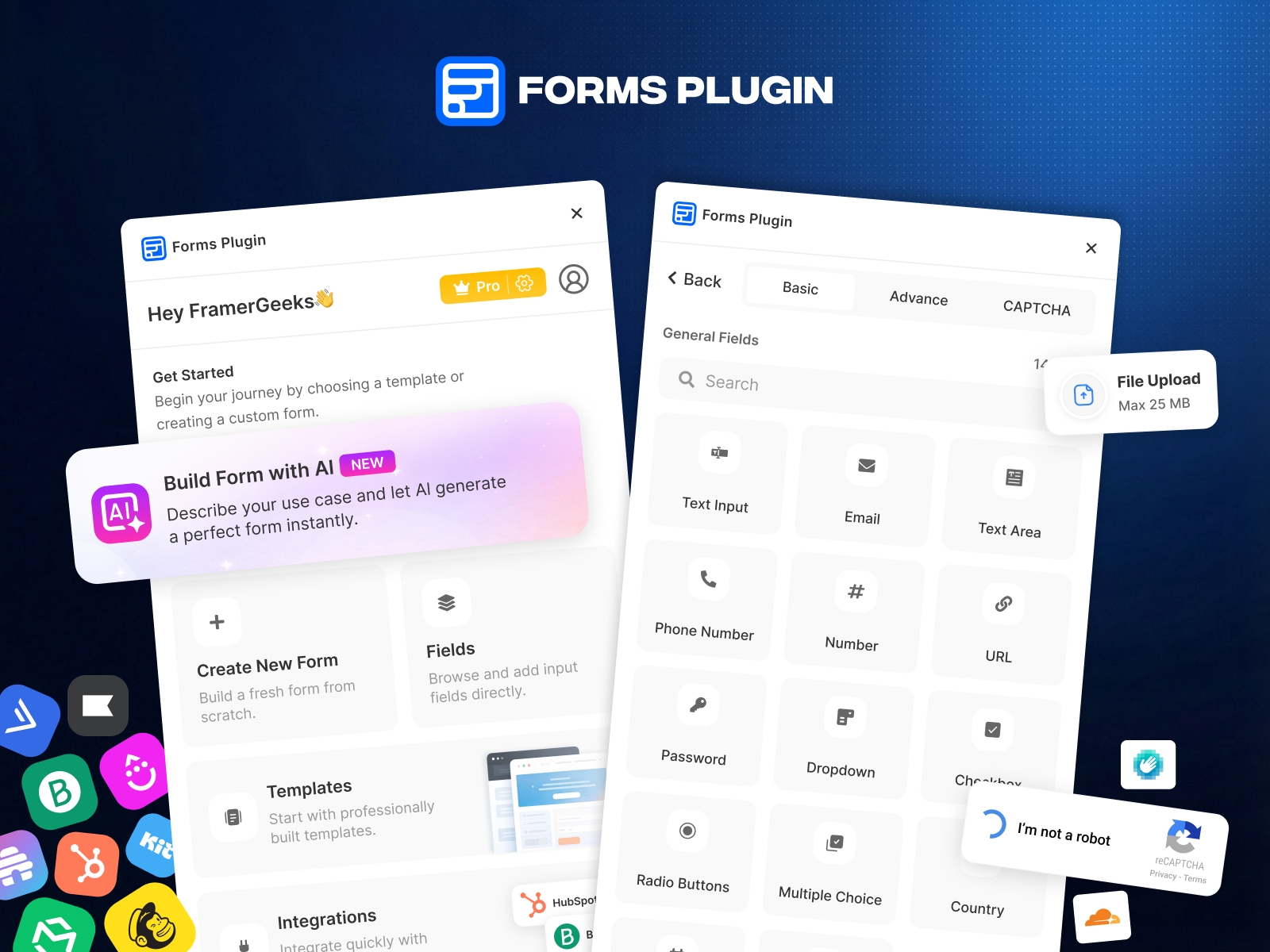

Build powerful forms natively inside Framer - AI form builder, native CRM & newsletter integrations (Brevo, HubSpot, Mailchimp & more), file uploads, e-signature, CAPTCHA, 27+ field types, and ready-made templates. No code. No embeds. Free to start.
About this Plugin
The #1 Native Form Builder Plugin for Framer - No Code, No Embeds, No External Platforms.
Forms Plugin lets you create any type of form directly inside Framer's editor. Build contact forms, lead capture forms, registration forms, feedback forms, survey forms, order forms, booking forms, quote request forms, application forms, newsletter signup forms, inquiry forms, appointment forms, client onboarding forms, and waitlist forms - all without writing a single line of code, embedding iframes, or leaving Framer.
Your forms live natively inside your Framer project. No separate platforms. No copy-paste code snippets. No third-party form builders. Everything stays exactly where your design lives - inside Framer.
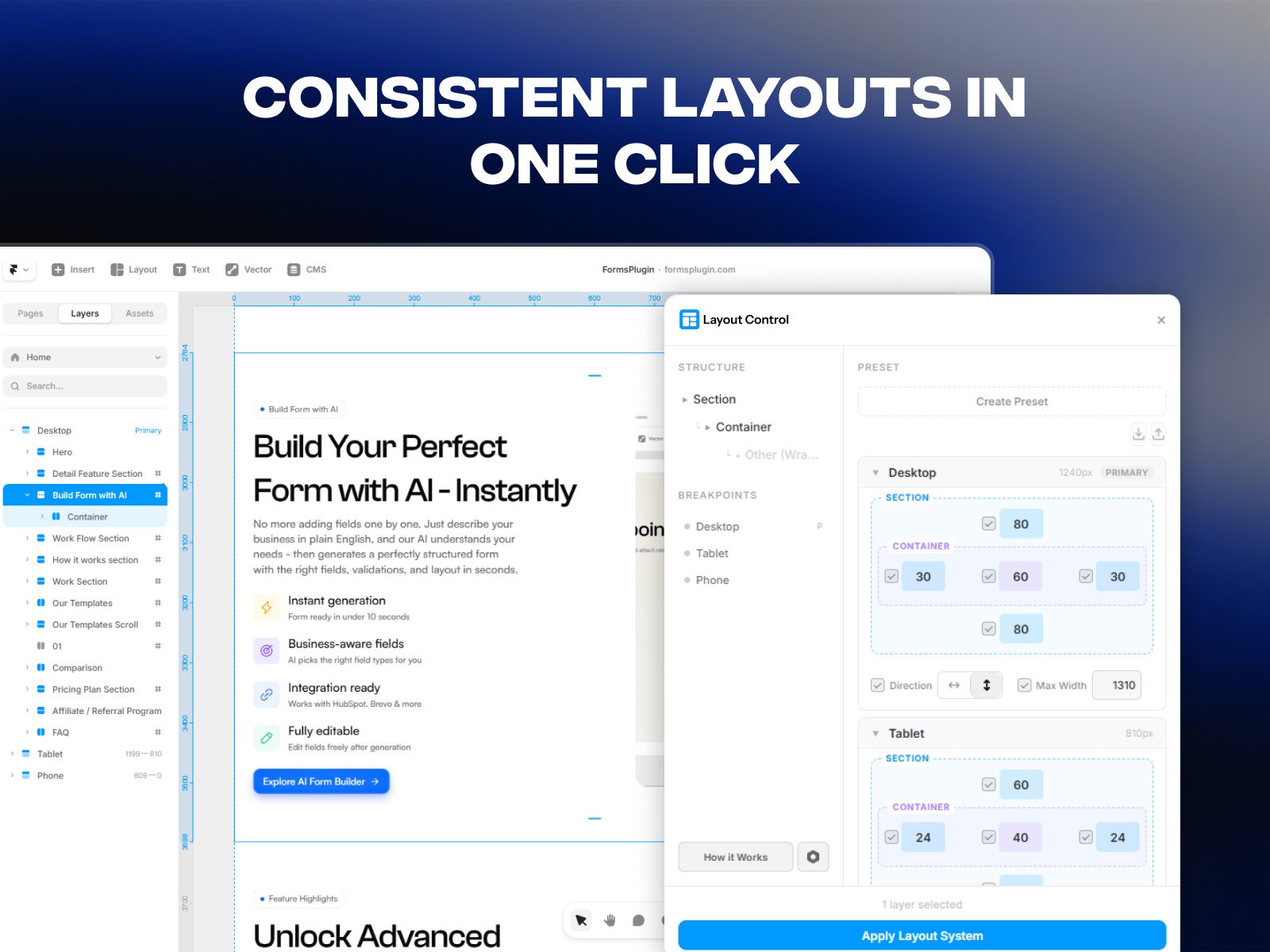
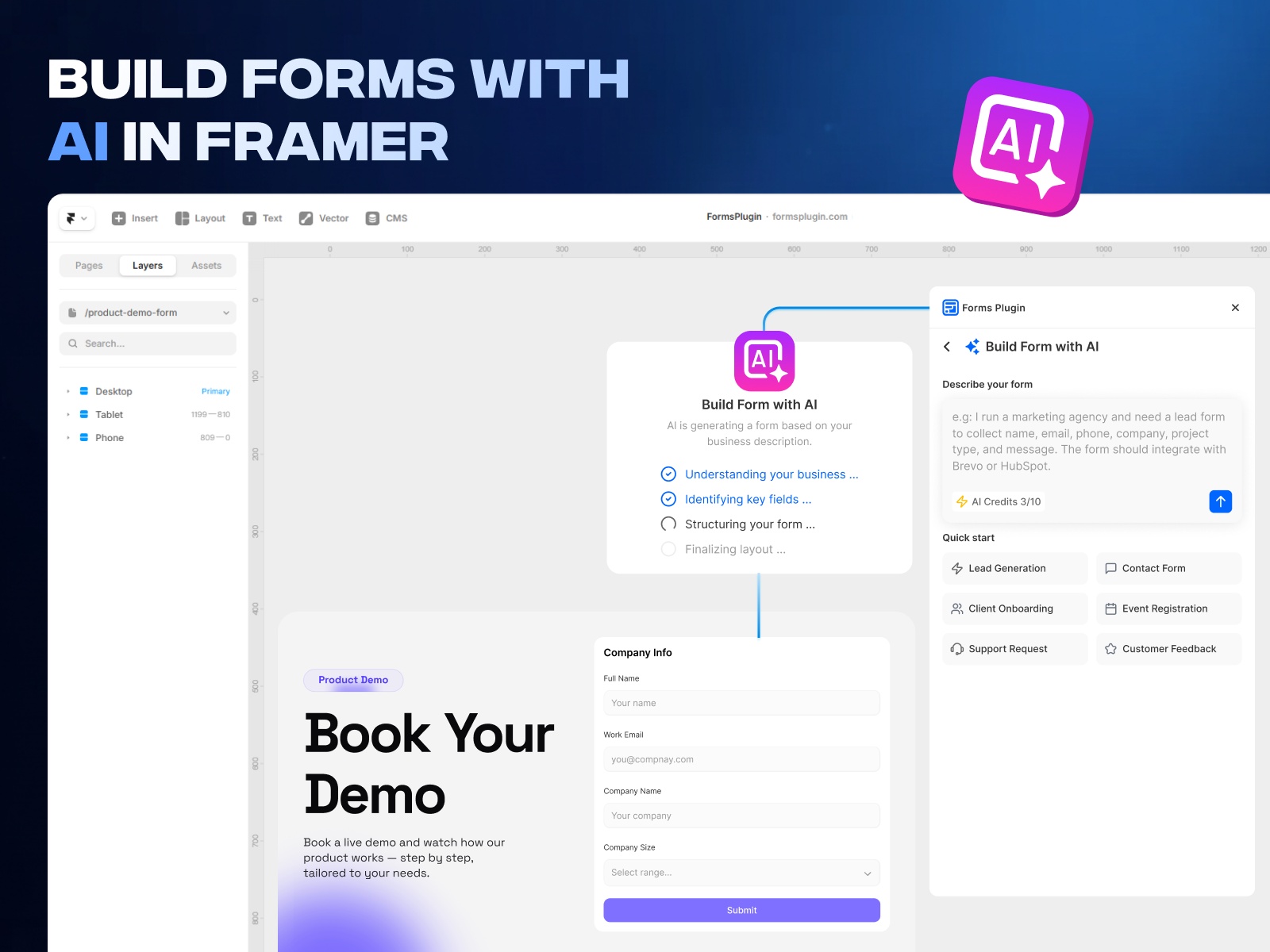
Build Form with AI 🆕
Stop building forms from scratch. Just describe your use case in plain English and let AI generate a complete, ready-to-use form for you in seconds.
How AI Form Builder works:
Open Forms Plugin - Click "Build Form with AI"
Describe what you need (e.g., "I run a marketing agency and need a lead form to collect name, email, phone, company, project type, and message. The form should integrate with Brevo or HubSpot.")
AI understands your business, identifies the right fields, structures the form layout, and generates it - ready to publish
Unlike Weavely AI Forms which generates forms outside Framer, our AI form builder creates forms natively inside your Framer project with full design control.
Quick Start AI Templates:
Lead Generation Form
Contact Form
Client Onboarding Form
Event Registration Form
Support Request Form
Customer Feedback Form
AI Credits included with your plan. No prompt engineering needed - just describe what you want and the AI handles everything: field selection, form structure, layout, and labels.
Perfect for designers, freelancers, and agencies who need to build client forms fast without spending time on manual field setup.
🔗 Native CRM, Email Marketing & Newsletter Integrations
Automatically send form submissions and newsletter signups directly to your favorite marketing tools, CRM platforms, and newsletter services - no Zapier, no Make, no external automation, no webhooks required.
Whether you are building a newsletter signup form, a lead capture form, or a customer onboarding form - your submissions flow directly to your email marketing and newsletter platform in real time.
Supported integrations:
Brevo (Sendinblue) - send leads and newsletter subscribers directly to your Brevo contact lists and email campaigns
HubSpot - push form submissions into HubSpot CRM for lead management, sales pipelines, and automated email workflows
Mailchimp - add subscribers to your Mailchimp audience, newsletter lists, and trigger automated email sequences
ConvertKit (Kit) - grow your ConvertKit newsletter and email list with native form-to-subscriber sync
MailerLite - capture leads and newsletter signups, sync directly to MailerLite subscriber groups
Klaviyo - connect e-commerce forms to Klaviyo for personalized email, SMS marketing, and newsletter campaigns
ActiveCampaign - automate lead nurturing by sending form data to ActiveCampaign contacts, newsletters, and automations
Drip - push subscriber data to Drip for targeted e-commerce email and newsletter workflows
Beehiiv - grow your Beehiiv newsletter subscriber list directly from your Framer forms
Unlike Lead Form or Contact Form plugins that only support basic email or webhook delivery, Forms Plugin connects natively to 9 major CRM and newsletter platforms with zero middleware.
How integration works:
Add the integration component to your form
Enter your API key and list ID
Map your form fields to your CRM, email, or newsletter platform fields
Publish - submissions and newsletter signups go directly to your subscriber lists
No external automation tools needed. No Zapier. No Make. No middleware. Your form data and newsletter subscriptions flow directly from your Framer website to your marketing platform in real time.
Submission History & Tracking: View successful and failed submissions sent to your integrations. Track every form submission, monitor delivery status, and debug issues - all from inside the plugin.
🧩 27+ Field Types - Every Input You'll Ever Need
Build any form with 27+ ready-to-use field types - more than Framer Form Kit, FramerForms, Lead Form, or any other form plugin on the Framer Marketplace:
Text Input - single-line and multi-line text fields, name fields, short answer fields
Email Field - collect email addresses for newsletters, signups, and lead generation
Phone Number Field - capture phone numbers with validation
Dropdown / Select Menu - single-select dropdown menus for options, categories, and choices
Checkbox - multi-select checkboxes for preferences, terms acceptance, and consent
Radio Buttons - single-choice radio button groups for surveys, quizzes, and selections
Date Picker - calendar date selector for appointments, bookings, and scheduling
Time Picker - time selection for meeting booking and appointment scheduling
File Upload - accept documents, PDFs, spreadsheets, and any file type directly through your form
Image Upload - let users upload images, photos, screenshots, and profile pictures
Audio Upload - collect audio files, voice messages, and sound recordings
Video Upload - accept video files and screen recordings from users
Color Picker - color selection input for design preferences and customization forms
E-Signature / Digital Signature - collect legally binding electronic signatures for contracts, agreements, waivers, and approvals
Voice Recording - allow users to record and submit voice notes directly in the form
Hidden Fields - pass tracking data, UTM parameters, referral sources, and custom values
Number Input - numeric fields for quantities, budgets, ratings, and scores
URL Field - collect website links and portfolio URLs
Textarea / Long Text - multi-line text areas for messages, descriptions, and detailed responses
Password Field - secure password input for registration and login forms
Country Selector - dropdown with country list for international forms and geo-targeting
Rating Field - star rating or numeric rating input for reviews and feedback forms
Net Promoter Score (NPS) - NPS scale input for customer satisfaction and loyalty surveys
Slider / Range Input - adjustable slider for budget ranges, quantities, and preference scales
🛡️ CAPTCHA & Spam Protection - Block Bots, Keep Submissions Clean
Built-in spam protection and bot prevention with five CAPTCHA options - no need for separate CAPTCHA plugins or components like those required with SupportRetriever Forms or PlumSpace Form Builder:
Google reCAPTCHA - the most widely used CAPTCHA service for spam filtering and bot detection
hCaptcha - privacy-focused CAPTCHA alternative for GDPR-compliant form protection
Cloudflare Turnstile - invisible, user-friendly CAPTCHA for frictionless spam prevention
Number CAPTCHA - simple number-based challenge, no third-party service required
Mathematical CAPTCHA - arithmetic-based verification for lightweight bot blocking
No more junk submissions. No more bot spam. Your form data stays clean and reliable.
📎 File Upload & Media Attachments - Collect Any File Type
Let your users attach and upload files directly through your forms:
Document uploads (PDF, DOCX, TXT, CSV, XLS)
Image uploads (JPG, PNG, GIF, SVG, WEBP)
Audio uploads (MP3, WAV, OGG)
Video uploads (MP4, MOV, AVI, WEBM)
Any custom file type you need
Perfect for job application forms, support request forms, client onboarding forms, quote request forms with attachments, portfolio submission forms, and feedback forms with screenshots.
🎨 Full Design Control - Match Your Brand Perfectly
Style every element of your form to match your Framer website design. Customize fonts, colors, spacing, padding, borders, border radius, backgrounds, hover states, focus states, error states, success states, placeholder text, labels, button styles, and form layout - all natively within Framer's visual editor.
Unlike iframe-based form tools like Tally Forms, Formflow, PlumSpace Form Builder, or Smartarget Popup Forms that embed external widgets into your site, Forms Plugin works 100% natively inside Framer. No external platforms loading inside your pages. No third-party styling conflicts. No slow-loading embedded forms. Your forms are part of your Framer project - not bolted on from the outside.
And unlike other native Framer form solutions like Framer Form Kit, FramerForms, or Framer Forms Connect, Forms Plugin gives you AI-powered form generation, 27+ field types, built-in CRM and newsletter integrations, and ready-made templates - all inside a single plugin. No need to combine multiple tools or install separate components.
No ugly iframes. No generic form widgets. No design compromises. Your form looks and feels like a native part of your website because it IS a native part of your website.
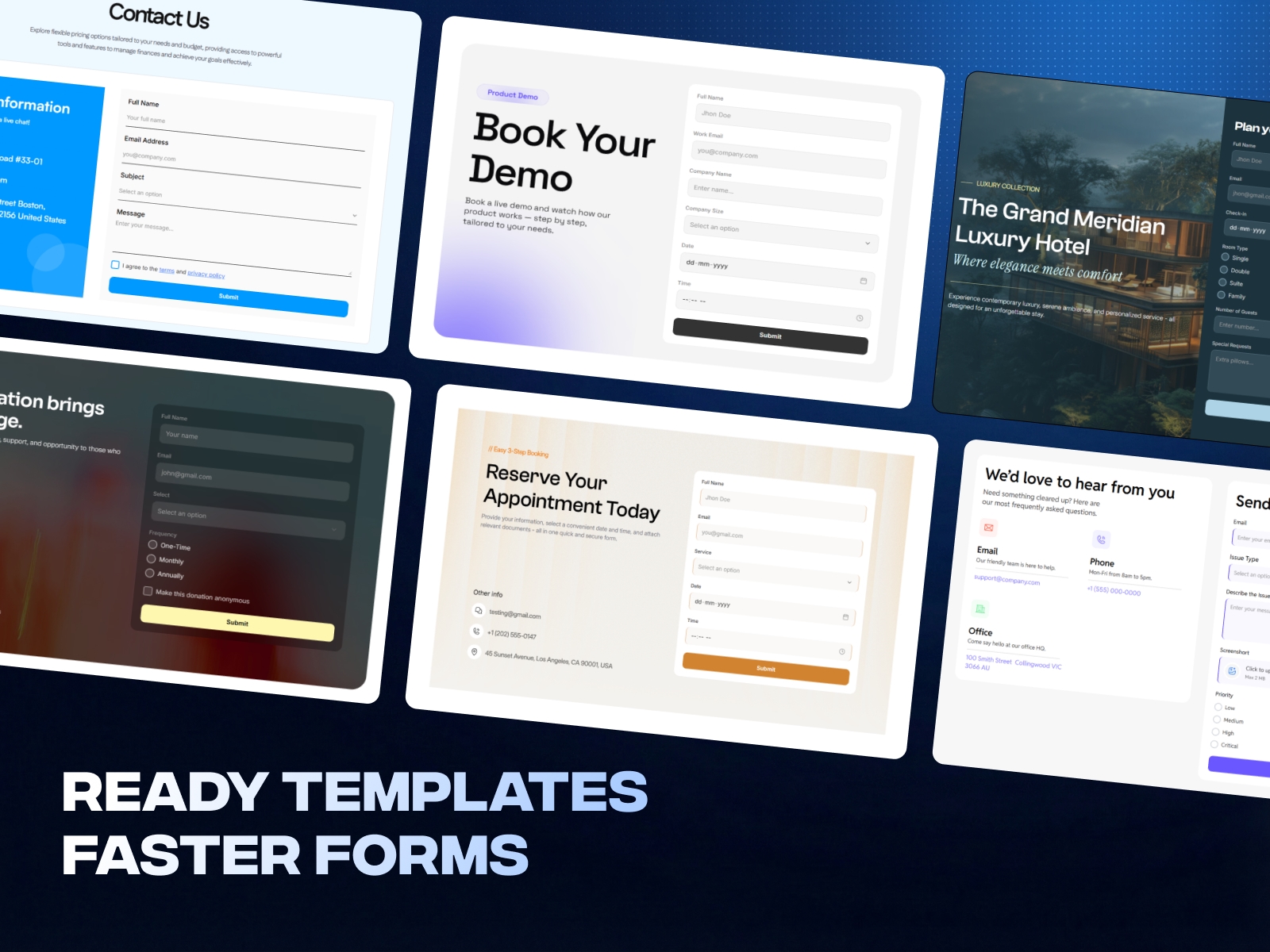
📦 Ready-Made Form Templates - Start in Seconds
Don't start from scratch. Choose from professionally designed form templates for the most common use cases:
Contact Form Template - simple name, email, and message contact form
Lead Generation Form Template - high-converting lead capture form for landing pages
Client Onboarding Form Template - collect client details, project scope, and preferences
Event Registration Form Template - event signup and RSVP form
Support Request Form Template - customer support and help desk ticket form
Customer Feedback Form Template - collect reviews, testimonials, and satisfaction ratings
Newsletter Signup Form Template - email subscription, mailing list, and newsletter form
Quote Request Form Template - service inquiry and price quote form
Booking Form Template - appointment and meeting scheduling form
Application Form Template - job application and submission form
Order Form Template - product order and purchase form
Survey Form Template - multi-question survey and poll form
Registration Form Template - user signup and account registration form
Waitlist Form Template - early access and beta signup form
Every template is fully customizable. Edit fields, change design, add or remove inputs - or just use AI to generate a custom form from your description.
🔜 Coming Soon - Multi-Step Forms & Conditional Logic
Multi-step forms and conditional logic are on the way. Break long forms into clean, guided steps with progress bars, step navigation, and per-step validation. Use conditional logic to show, hide, or skip fields and steps based on user answers - create dynamic, personalized form experiences. Perfect for client onboarding, lead qualification, surveys, job applications, and multi-page registration flows. Stay tuned for these updates.
⚡ How It Works - 3 Simple Steps
Open Forms Plugin inside your Framer project
Choose a template, use AI to generate a form, or build from scratch
Customize fields, connect CRM or newsletter integrations, and design - then publish
That's it. Your form is live and connected to your CRM or newsletter platform. No server setup. No backend configuration. No external automation services needed.
🔍 Perfect For
Freelancers and designers building client websites in Framer
Agencies managing multiple Framer projects with form, CRM, and newsletter requirements
SaaS companies adding lead capture forms connected to HubSpot or ActiveCampaign
E-commerce stores collecting orders and syncing leads to Klaviyo or Drip
Newsletter creators growing their Beehiiv, Mailchimp, or ConvertKit subscriber lists
Startups building waitlist, early access, and beta signup forms
Portfolios and personal websites adding contact and inquiry forms
Service businesses collecting quote requests, bookings, and appointments
Nonprofits and communities building volunteer, donation, and event registration forms
Anyone looking for a better alternative to Tally Forms, Formflow, PlumSpace Form Builder, Framer Form Kit, FramerForms, or Framer Forms Connect
Support
Need help? Our team is here to assist you.
Support: team@formsplugin.com
Website: https://formsplugin.com/
Changelog
1 - Build Form with AI
Describe your use case and let AI instantly generate a complete form - with the right fields, structure, and layout. Supports Lead Generation, Contact Forms, Client Onboarding, Event Registration, Support Requests, and Customer Feedback.
2 - Integration Submission HistoryTrack every form submission sent to your integrations. See which submissions succeeded and which failed - filtered by email or integration. Full activity log with timestamps so you always know what's going on.
Details
 Framer Geeks