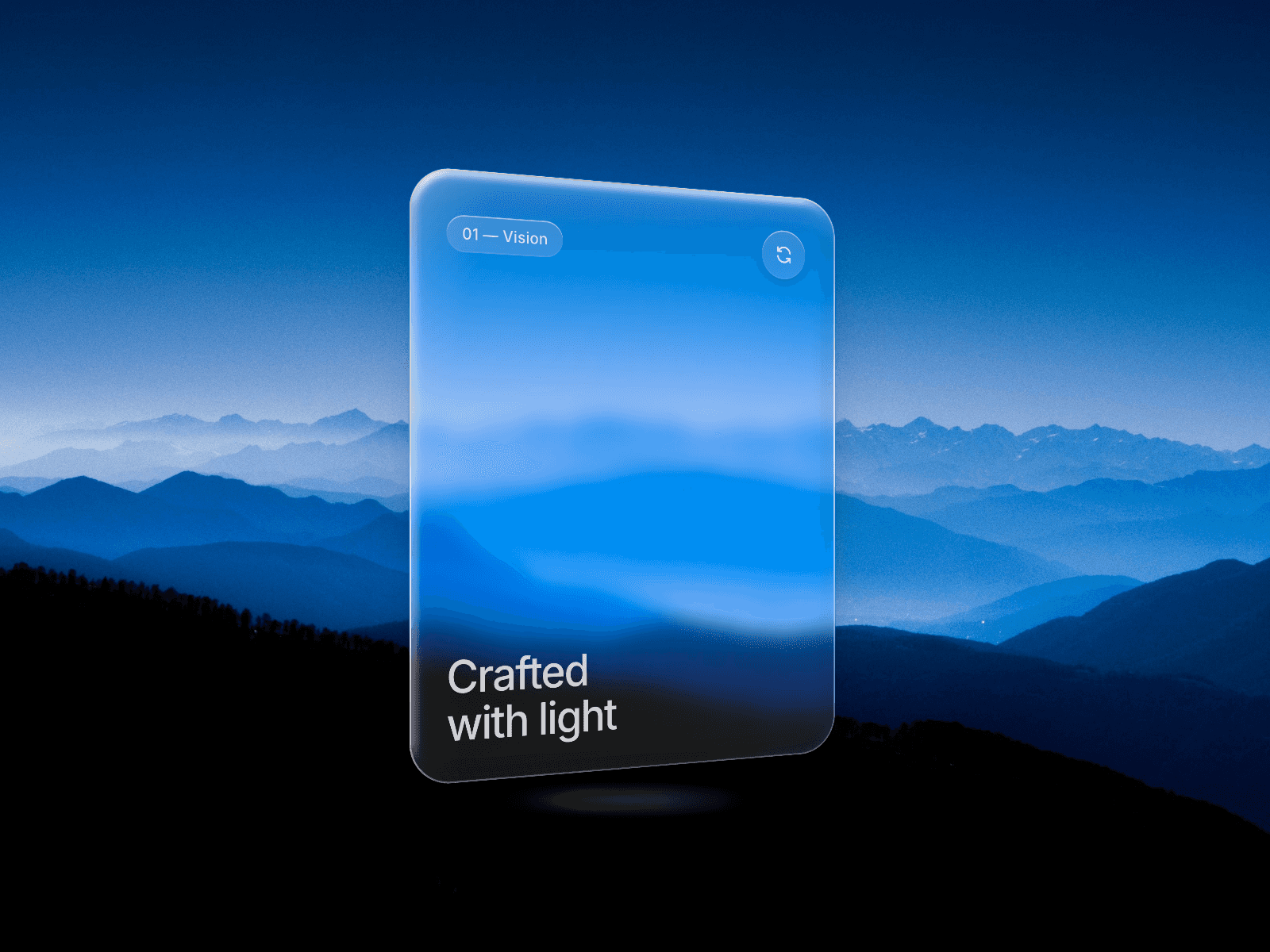
About Glass Bezel
An image or video in a liquid glass frame: the edge bends the picture like thick glass, a soft light follows the cursor, and the glass wobbles gently on hover.
Use it as the image of a card. Put a tag or caption on top with Content.
Controls
Media: Image or video.
Image: The photo.
Video: An MP4 or WebM file. Plays muted and loops.
Poster: Still shown while the video loads.
Focus: Focus point when the photo is cropped.
Content: Any frame placed on top, such as a tag or title.
Radius: Corner radius.
Bezel: Width of the bent edge.
Refraction: How strongly the edge bends the image. 0 is off.
Frost: Blur along the edge.
Highlight: Strength of the light on the glass.
Light: Light colour.
Edge: Rim colour.
Tint: Colour laid over the whole image.
Wobble: How much the glass moves on hover.
Hover Zoom: Image zoom on hover.
Shadow: Soft shadow under the card.
Phone Refraction: Bend the edge on phones too.
Priority: Load the image first. Only for an image at the top of the page.
Phones, dark mode, Arabic
Phones keep the frame, frost and light but skip the bent edge unless Phone Refraction is on. With reduced motion there is no wobble or zoom. Colour controls take your tokens, so dark mode follows the theme, and it works on Arabic right-to-left pages.
What you get
After checkout: the component link to paste onto your Framer canvas, plus an editable Framer project with a demo page.
All ten in one project for $49: Motion Kit
All sales are final, no refunds.