About Tab List Image Sync
Tab List Image Sync – Click-to-Sync Tabs with Image and Overlay Text
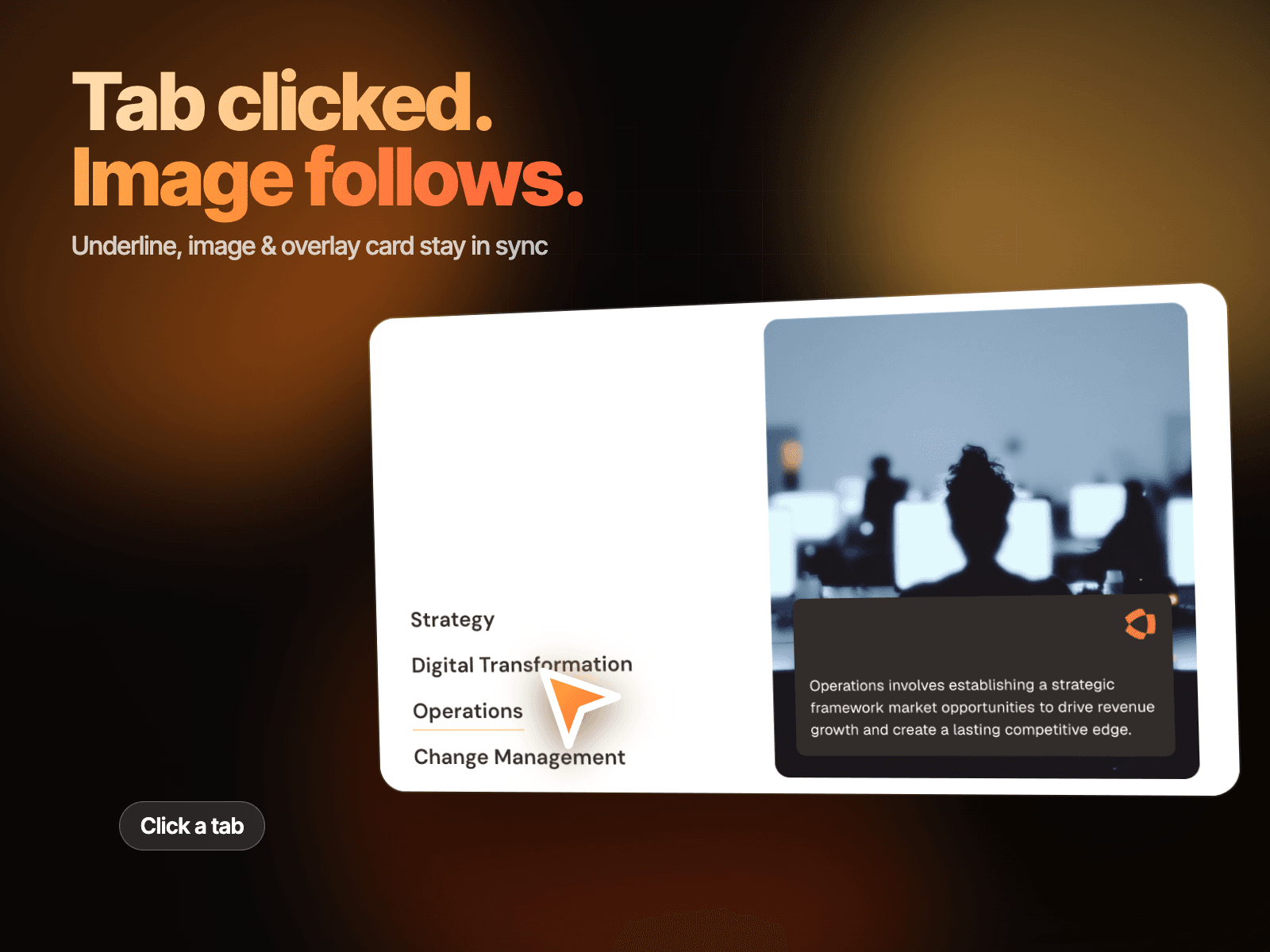
Tab List Image Sync is a modern, interactive Framer component that pairs a minimal text tab list with a large synced image panel. Instead of showing every service with its own layout, it displays a clean list of tab labels by default, with an underline marking the active tab, and updates the image and overlay text card the moment a visitor clicks a different tab. The seamless sync gives your consultancy, agency, or corporate site a premium, editorial feel with almost no setup required.
Click-to-Sync Interaction
Underline marks the active tab in the list.
Image and overlay text card update in sync with the clicked tab.
Icon on the overlay card stays visible across every state.
Smooth crossfade transitions feel natural and intentional.
Fully responsive and optimized for modern GPU-accelerated performance.
Customizable Design Controls Tab List Image Sync includes full Framer property controls so you can instantly match it to your brand or layout.
Customize
List 01–04 – Edit the tab label text.
Line – Set the underline style for the active tab.
Icon – Assign the icon shown on the overlay card.
Card BG – Set the background color of the overlay text card.
Text 01–04 – Edit the overlay description per tab.
Image 01–04 – Assign a unique image to each tab.
How It Works Tab List Image Sync tracks click events across the tab list. When a visitor clicks a tab, the component underlines it and crossfades the image while updating the overlay text card to match. The other tabs stay in their default plain state, keeping the active selection clear and making the experience feel seamless and intentional.