About CMS Tag Rail
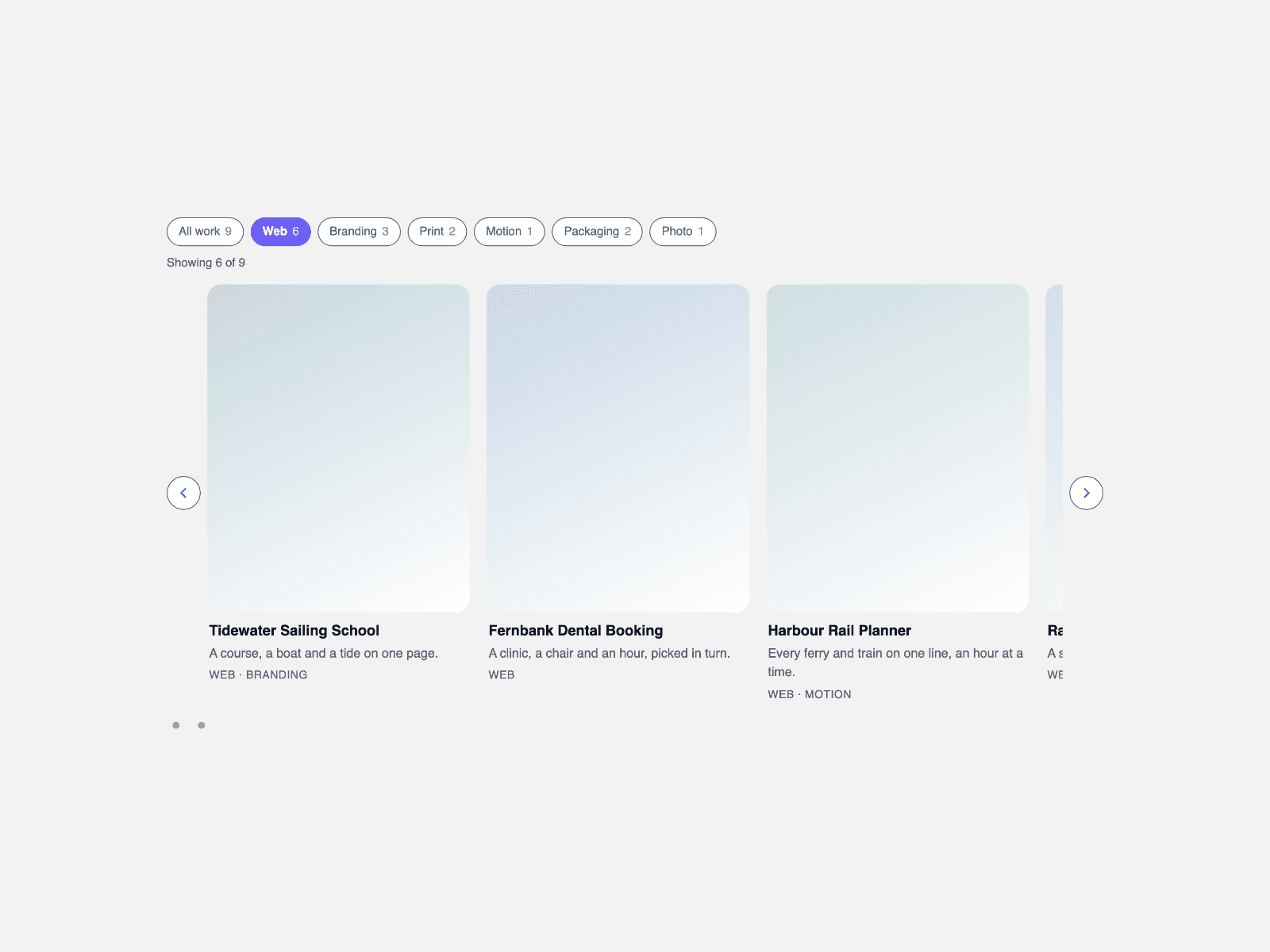
Filter a CMS collection with tag chips in three steps. Drop a Collection List into the Cards (CMS) slot and turn off its Pagination: the list is hidden after it is read, so Load more is not shown. In your card, name a text layer "Tags" and fill it with comma-separated tags, for example Design, Motion. Each item becomes a card, and the chips filter the cards as visitors click.
Cards are static copies of your items: Framer hover/press variants and nested interactive components do not run on them (links work). Tags and Title layer names can be changed.
Layouts: Rail (a horizontal snap row with arrows and dots), Masonry, Grid and Stack. Keyboard: focus the rail and use ← / → to move by one card. In Grid, Masonry and Stack, Initial count shows only the first N cards from the Collection List (per tag filter) with a Show more button that reveals N more per click; 0 shows all. The Rail scrolls instead.
Filtering: one chip or several, matching any or every tag, an optional All chip, counts on each chip and a live "Showing n of total" line. Start tags open a page already filtered.
No CMS yet? Leave the slot empty and type cards in the Items list: image, title, caption, tags and link.
Columns and cards per view adapt to the width of the component.
Chips are real buttons with pressed states, regions and lists are labelled, and motion is skipped for reduced motion. The canvas shows a still preview; CMS cards appear on the live site.