Meetanshi
Meetanshi

Meetanshi

We help online stores succeed with our expert services and apps.

Creator6 Listings
Meetanshi
Meetanshi 3w

Background Remover

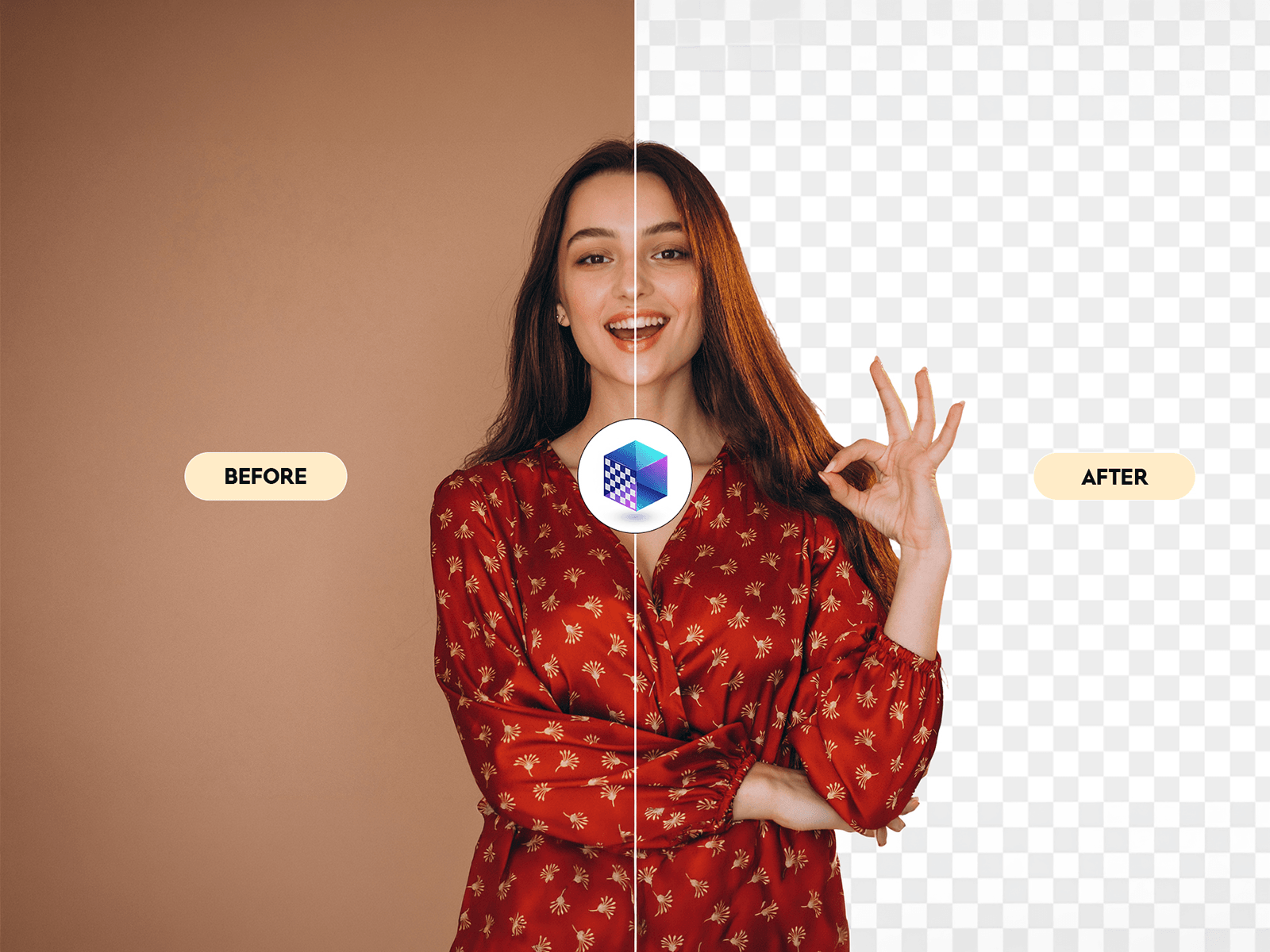
Remove image backgrounds directly inside Framer with a single click. Instantly transform photos into clean, transparent PNGs without leaving your design workflow.

Whether you're designing landing pages, online stores, social media graphics, or marketing materials, Background Remover helps you prepare professional images in seconds.

Features

• One-click background removal • Supports PNG, JPG, JPEG, and WEBP images • High-quality transparent output • Fast and accurate background detection • Drag & drop image upload • Before & after preview • Download transparent PNG instantly • Lightweight and easy to use

Perfect For

• E-commerce product photos • Marketing banners • Landing pages • Social media graphics • UI/UX mockups • Portfolio websites • Presentations • Content creators

Why Use Background Remover?

Stop switching between multiple tools to remove image backgrounds. Keep your entire workflow inside Framer, save valuable time, and create polished visuals with just one click.

Designed for designers, developers, marketers, and creators who need fast, clean, and professional image editing directly inside Framer.

Meetanshi
Meetanshi 3w

Turn your logo into a complete brand design system.

BrandForge AI analyzes your logo and instantly generates a cohesive brand system you can use directly in your Framer project.

What you get:

🎨 Core Colors — Primary, Secondary, and Accent colors extracted from your logo

🌈 Neutral Scale — A complete 50–900 neutral palette tinted to your brand

✍ Typography Pairing — Recommended heading and body fonts based on your brand personality

📐 Design Tokens — Border radius, spacing, and shadow presets

✨ Brand Personality — AI-powered classification across Modern, Minimal, Luxury, Corporate, Creative, and Playful styles

⚡ One-Click Apply — Create your brand styles directly inside Framer

💻 Code Export — Export your system as CSS, Tailwind, or Framer JSON

How it works

1. Upload your logo Drop in a PNG, JPG, SVG, or WEBP logo.

2. Explore your Brand Kit Review your colors, typography, design tokens, and brand personality in one place.

3. Customize your palette Choose your Primary, Secondary, or Accent color as the base for your neutral scale.

4. Apply to Framer Create your Color and Text Styles directly in your project with one click.

5. Export your design system Get ready-to-use CSS variables, Tailwind configuration, or Framer JSON.

Built for designers

Whether you're starting a new website or bringing an existing brand into Framer, BrandForge AI helps you go from logo → complete design system in minutes.

No more manually picking colors, finding font combinations, or setting up design tokens from scratch.

Upload your logo. Build your brand system. Start designing.