About SwiftEditor
SwiftEditor is a premium Notion-style rich text component for Framer.
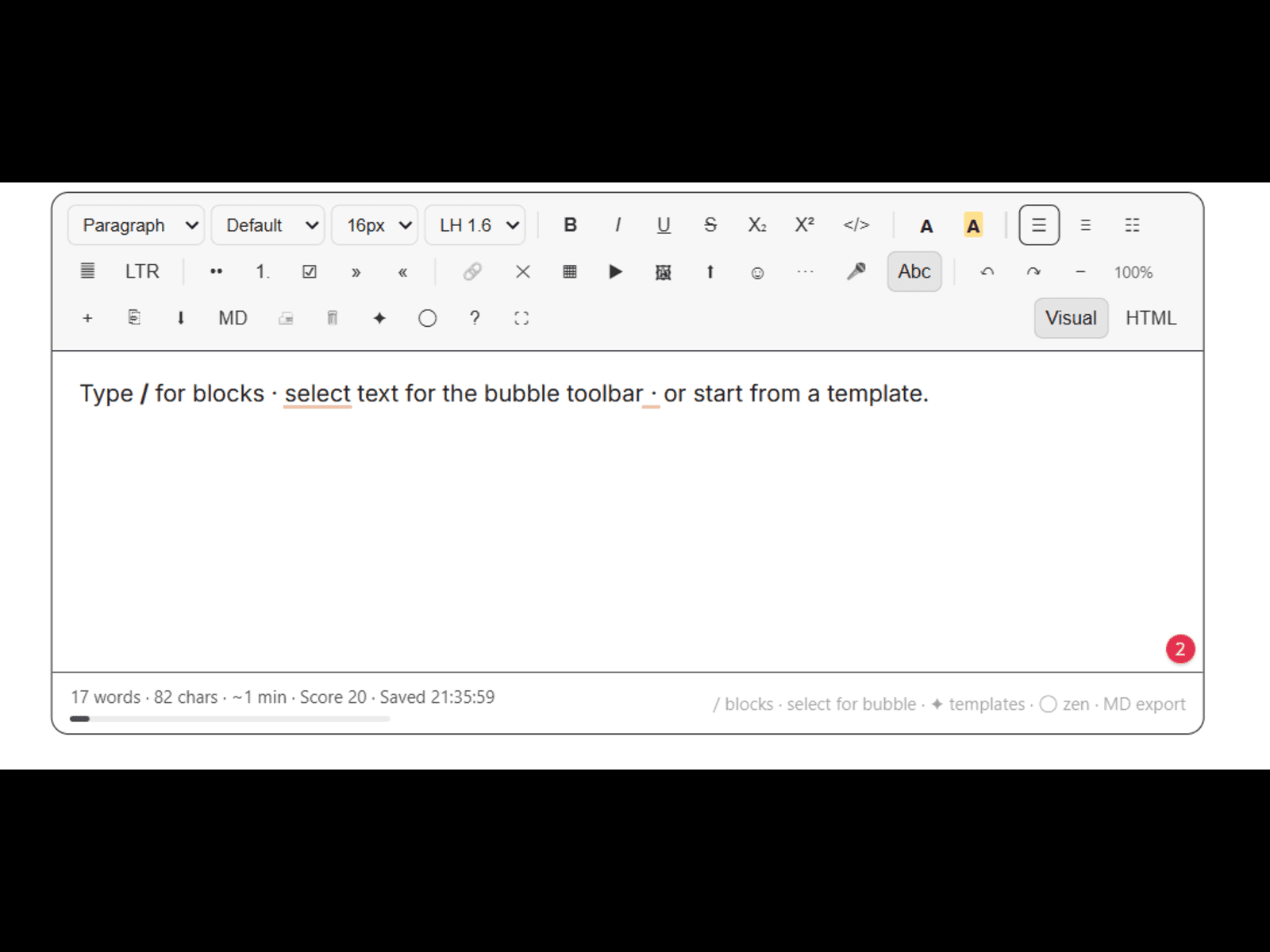
Type / for blocks. Select text for a floating bubble toolbar. Start from ready templates. Write in Zen mode. Export HTML or Markdown.
Built for blogs, landing pages, docs, announcements, and client sites that need real editing — not static text.
✦ Features
• Slash commands (/) — headings, lists, callouts, tables, CTA, video, TOC
• Bubble toolbar on text selection
• Templates — Blog, Landing, FAQ, Announcement, Testimonial
• Images — URL, upload, paste, drag & drop
• Links, colors, highlight, fonts, RTL
• Zen mode + themes (Paper, Ink, Studio, Midnight)
• Word goal + content score
• HTML source mode + Markdown export
• Autosave, fullscreen, print, dictation
• Full Framer property controls
✦ How to use
1. Insert SwiftEditor on the canvas
2. Type / for blocks or pick a template
3. Customize colors, theme, and controls in the right panel
One component. Feels expensive. Ready in minutes.