About Side Story
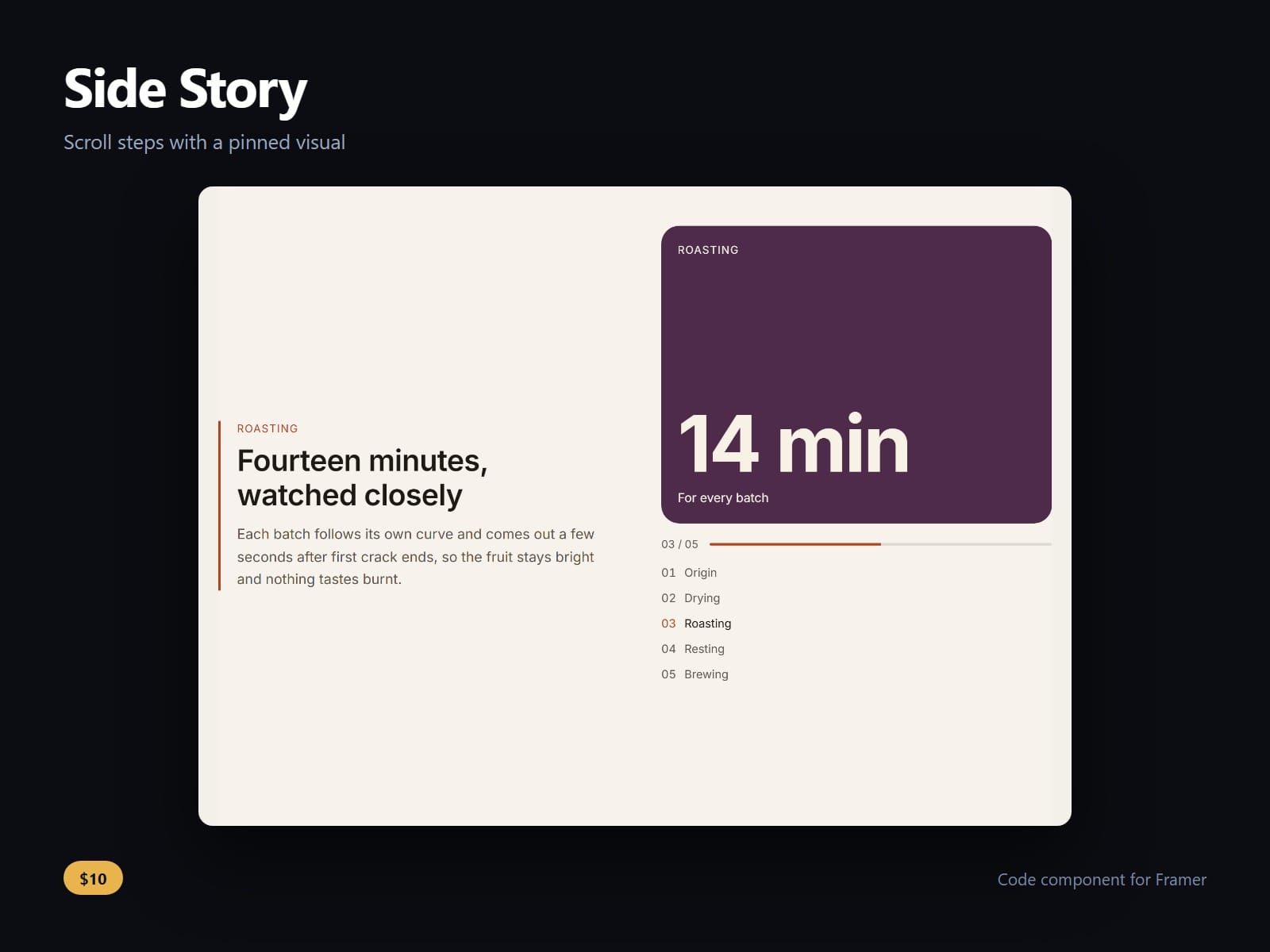
A scroll story for Framer: your text scrolls past a visual that pins beside it and changes with each step.
Type up to twelve steps in the property panel: a kicker, a title, the text, and an image or a big figure with a caption. A step with no image draws its own coloured panel, so the story looks finished before you have a single picture.
The step whose text has reached the middle of the screen is the one lit, and the visual, a counter and a progress bar follow it. A step list beside the visual jumps to any step and moves keyboard focus there, so a keyboard or screen reader user carries on reading where they landed.
Every step's text and every image's alt text is in the page's own HTML before anyone scrolls, so search engines and visitors without scripts get the whole story. With reduced motion on, nothing fades or rises and a jump lands at once.
Below a width you set, measured on the component itself rather than the screen, it becomes one column with each step's visual above its text, decided in CSS, so there is no flash on load.
The side the visual sits on, the step and visual heights, the pin offset, the transition, the list, the counter, the bar, sizes, fonts and every colour are controls.
After purchase you receive the component URL. In Framer, press Insert, choose Add Component URL, and paste it.
Licence: yours to use on your own sites and on client sites, commercially, with no attribution. Not for resale or redistribution: do not share the component URL, and do not publish the component or its code anywhere, paid or free. Full terms arrive with your purchase. Questions: me@majedesigns.dev