About Portfolio Preview
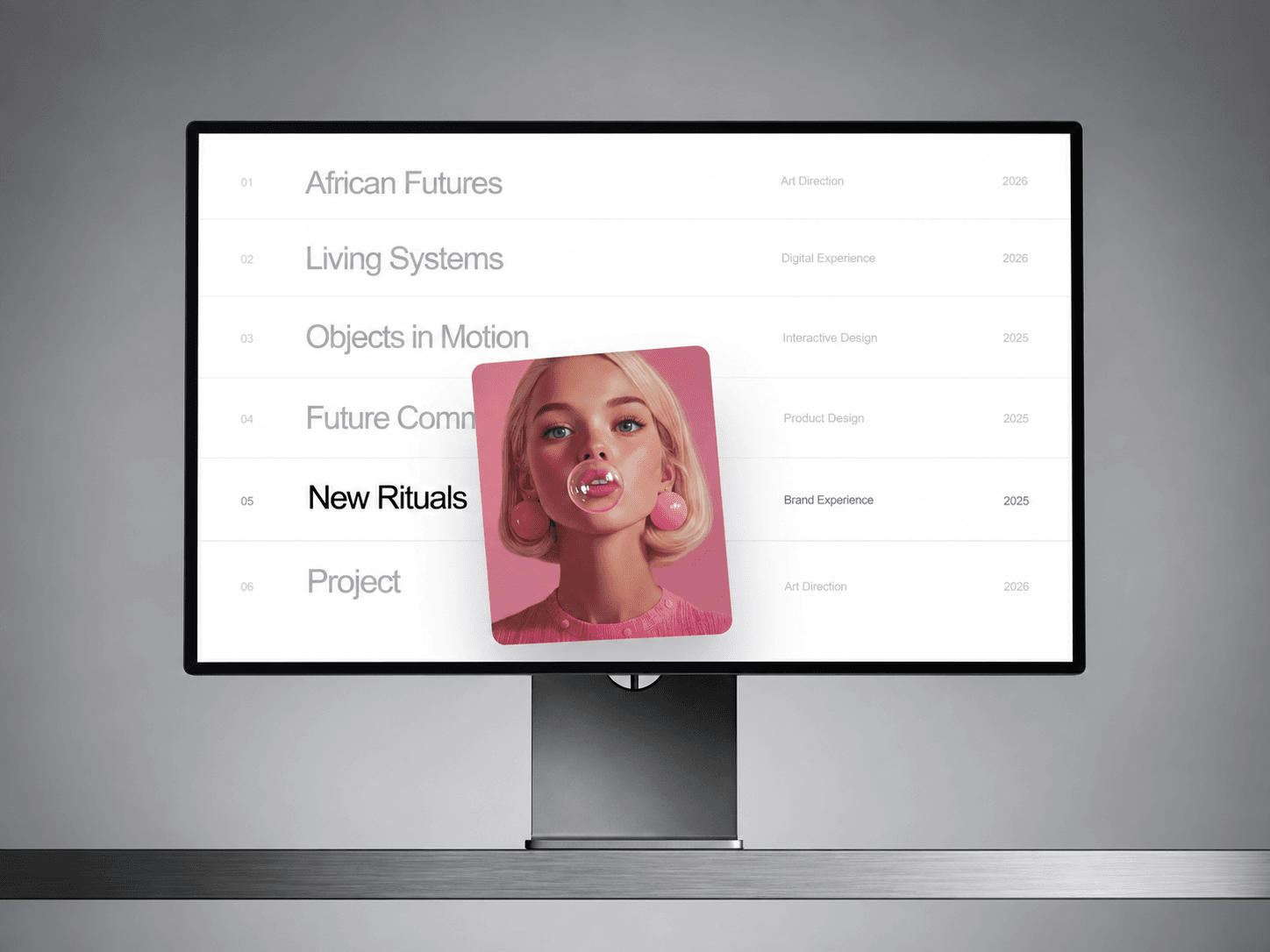
Portfolio Preview — interactive project navigation with velocity-driven 3D previews
Turn a simple project list into a polished, interactive portfolio experience.
Portfolio Preview reveals a floating image card as visitors move across your project list. The preview follows the cursor smoothly, while mouse speed and direction control a true 3D Y-axis perspective bend.
Move faster and the card bends further. Change direction and the perspective responds naturally before settling back into place.
✦ Velocity-driven 3D motion
The floating preview reacts directly to horizontal mouse movement.
Faster movement creates stronger perspective. Slower movement keeps the effect subtle. When the cursor settles, the card smoothly returns to its resting position.
Customize your portfolio
Add projects directly in Framer and control:
Title
Category
Year
Image
Link
Fallback color
You can also customize typography, spacing, dividers, preview size, image position and hover states.
Preview controls
Fine-tune:
Follow Cursor or Fixed Right
Preview size
Corner radius
Cursor offset
Entry scale
Rotation
Velocity response
3D bend strength
Perspective depth
Follow smoothing
Image scale
Shadow
Built for Framer
Includes responsive behavior, mobile settings, reduced-motion support and static-rendering fallbacks.
A simplified Playground mode is also included so users can experiment with the most important motion controls quickly.
Perfect for creative portfolios, studios, agencies, photographers, architects and project indexes.
Support: hello@bodilum.com