About Growing Navigation
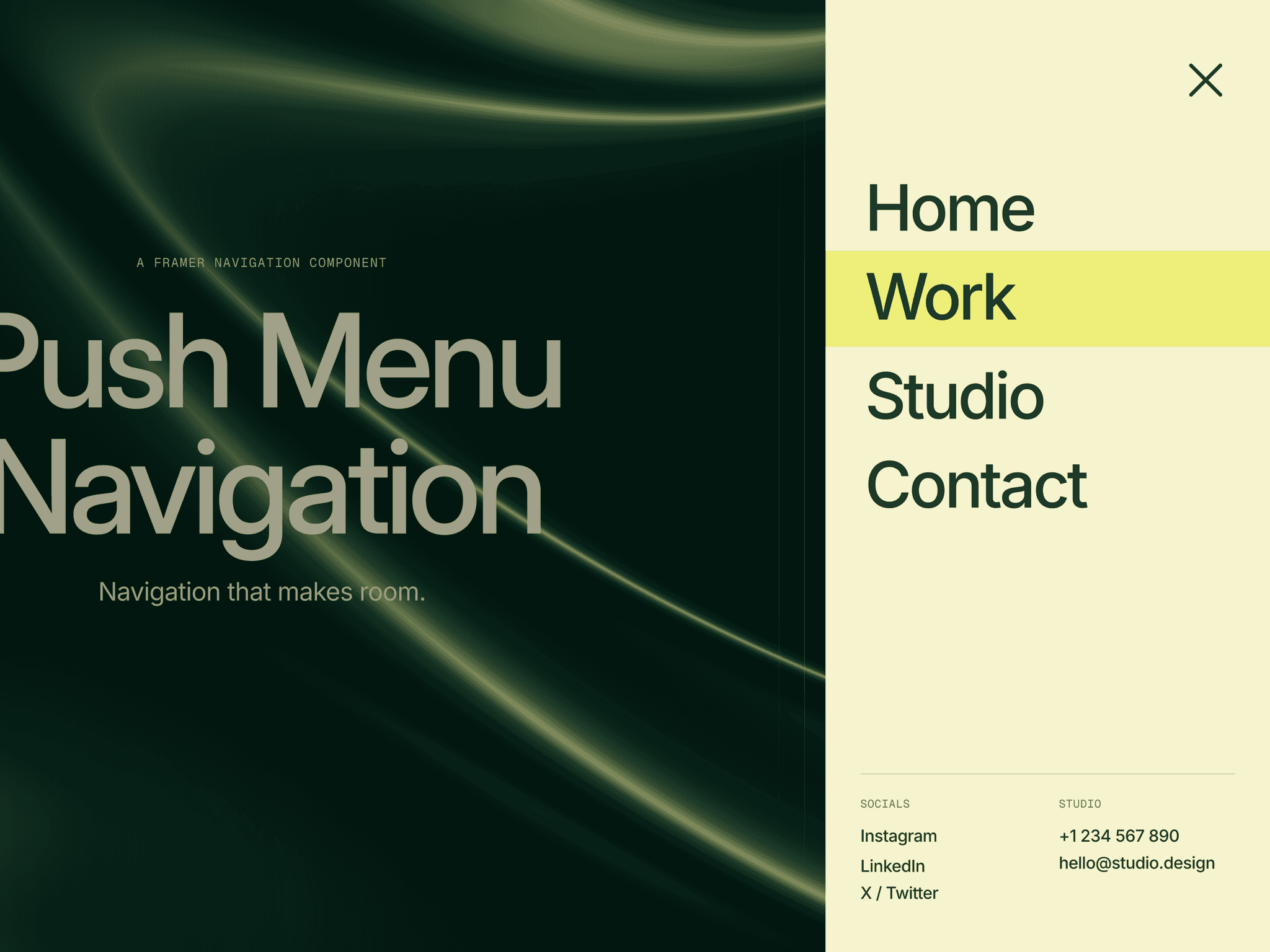
Growing Navigation is a fully animated hamburger navigation built for Framer. It expands horizontally on desktop and fills the full screen on mobile. You get a clean fullscreen menu with no extra code.
Every interaction runs on Framer Motion. Links slide in with opacity and blur for a smooth layered reveal. Closing the menu plays the same animation in reverse. A dimmed overlay appears behind the panel and closes it on click.
On mobile (767px and below), the menu switches to fullscreen, locks scroll, and restores it on close. Pressing Escape closes it as well. On the canvas, you see a static collapsed preview for easy placement.
Growing Navigation uses Framer’s router to handle navigation. It resolves routes and anchors automatically. External links open in a new tab.
Features
Animated Hamburger ToggleTwo bars morph into an X. Hover shows a preview of the shift.
Blur-Fade Staggered LinksLinks enter with vertical slide, opacity, and blur. Each item is staggered by 80ms.
Mobile Fullscreen LayoutOn small screens, the menu fills the viewport with proper padding and scroll lock.
Framer Router NavigationHandles internal routes and anchor links. External URLs open in a new tab.
Social Links PanelA secondary column for social links with hover arrow reveal and sibling dimming.
Tagline TextOptional short text block above social links.
Backdrop OverlayDark overlay fades in and closes the menu on click.
Backdrop Filter SupportControl blur, saturation, and brightness for a frosted glass look.
Escape Key SupportPress Escape to close the menu.
Canvas PreviewStatic collapsed view for accurate layout in Framer.
Property Controls
Navigation
Nav LinksArray of links with Label, URL, and New Tab toggle.
Nav FontFont family and size for links.
Nav ColorText color for navigation links.
Link SpacingVertical padding for each link.
Social & Tagline
Social LinksArray of links with Label, URL, and New Tab toggle.
Social FontFont family for social links.
Social ColorText color for social links.
Tagline TextShort text above social links.
Tagline FontFont family for tagline.
Tagline ColorText color for tagline.
Branding
Logo ImageResponsive logo in the collapsed bar.
Logo LinkURL for logo click.
Logo WidthWidth in pixels.
Styling
Toggle ColorColor of hamburger bars.
Divider ColorColor of dividers and panel edges.
Nav BackgroundBackground color of the panel.
Bg BlurBlur level in pixels.
Bg SaturationSaturation percentage.
Bg BrightnessBrightness multiplier.
Layout
Width (Open)Max width of panel on desktop.
Hamburger SizeSize of the toggle button.
How to Use
Add Growing Navigation to your page and place it as a header on top of all your layers. (Recommendation: Place it in your main template so you don't have to edit the navigation properties manually on every single page of your Framer project.)
Open Nav Links and add labels and URLs.
Set your Logo Image and link it to your homepage.
Add Social Links and a short Tagline.
Adjust colors, blur, and background to match your style.
Set Width (Open) for desktop layout.
Publish and test on mobile to check fullscreen behavior.
Ideal Use Cases
Portfolio and agency sites that need a bold navigation moment
Studio and creative projects that want one system for desktop and mobile
Framer sites that rely on router-based navigation
Projects that include social links and a short brand message in the menu
Growing Navigation handles both internal routing and external links without extra setup.