About Aisol Class Schedule
Using CMS: 1) Build a Collection List whose item has text layers named Day, Time and Title (Teacher, Room and Level are optional). 2) Drop it into Classes (CMS) and turn off its Pagination so every class is read. 3) Preview or publish: each CMS item becomes one class, placed in its day column and time rows.
The component reads your Collection List and draws its own timetable; the list stays hidden and unchanged, and its Load more button is not shown. Initial count lays out only the first N classes from the Collection List, with a Show more button that adds N more per click; 0 shows all.
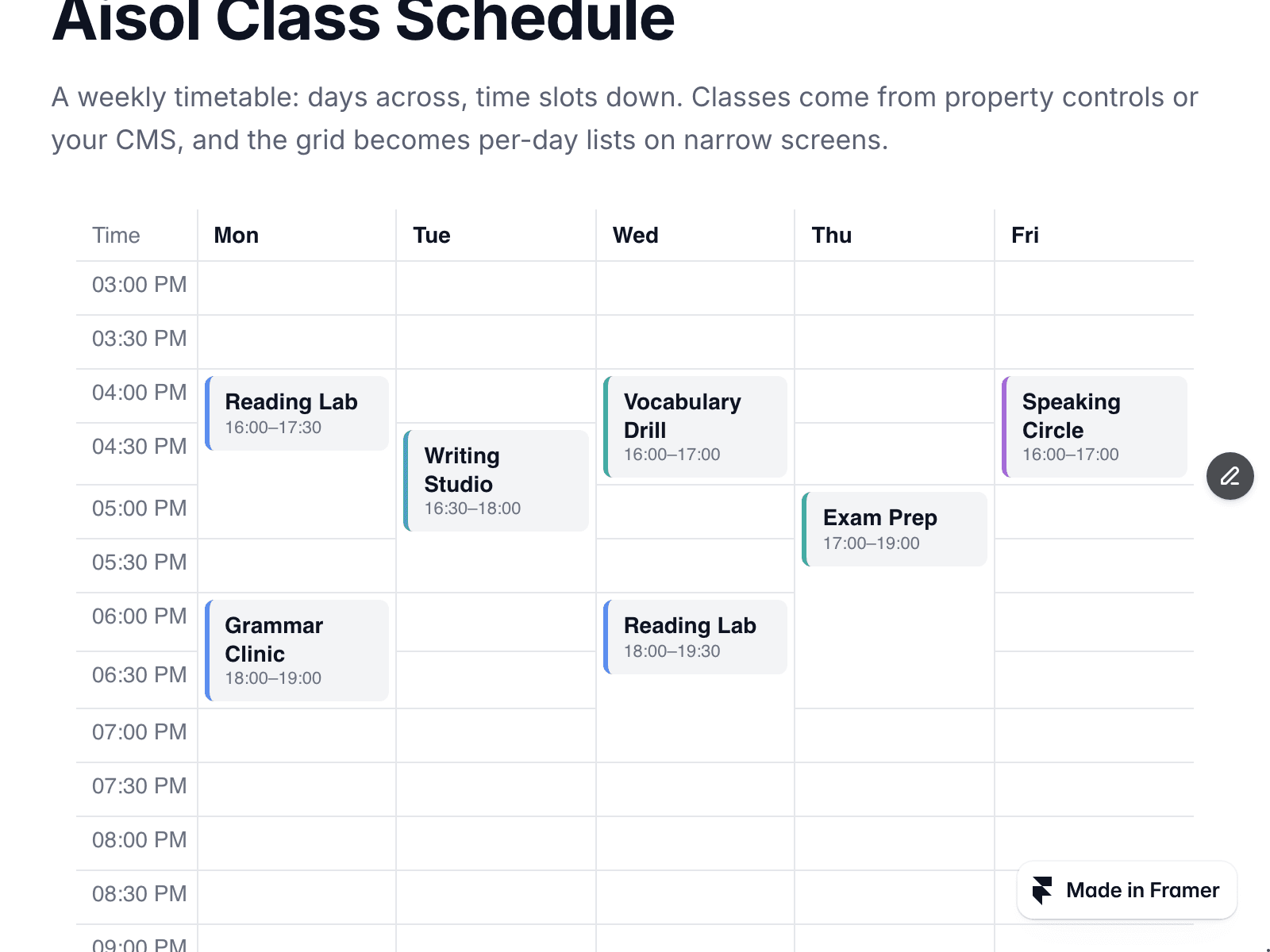
A weekly timetable, days across the top and time slots down the side, built as a real HTML table.
Day is free text. Mon, Monday and 월 all work; each Day gets its own column in the order it first appears, and Day order fixes the order. Time is read from text such as 16:00–17:30, 4–5:30pm or 오후 4시 and shown as written. Layer names can be changed in the panel.
No CMS yet? Leave the slot empty and type classes into the Classes list.
Up to three classes in one slot sit side by side; more collapse into +N. Classes without a readable time go under Needs a time, and classes outside the shown days or hours are listed below the grid. An empty colour is picked from level and teacher.
Today's column and the current time row can be highlighted in your time zone. Narrow screens get a list per day. The canvas shows the Collection List as it is; the timetable appears in Preview and on the site.