About Seatwise
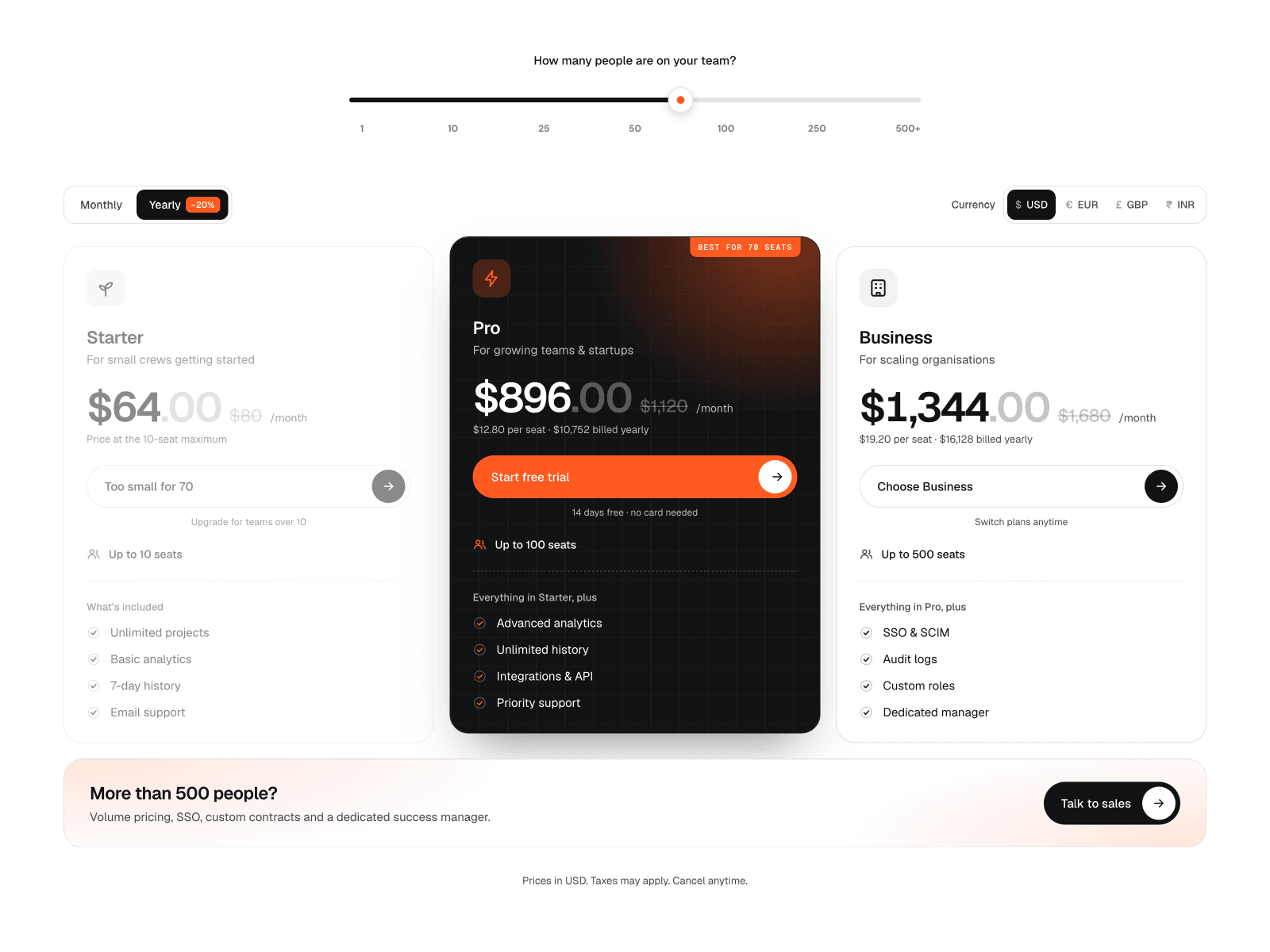
Visitors drag a slider to their team size and see exactly what they'd pay. Prices roll to the new number, the plan that fits their team gets highlighted, and plans that are too small fade out. Past your largest plan, a "Talk to Sales" section lights up.
Features
Team-size slider you can drag, click, or move with the keyboard
Prices roll to each new number as they change
The best plan for the team size is highlighted automatically
Monthly/annual switch with a discount and the full price crossed out
Up to 4 currencies, with prices you set yourself
Animated plan icons
Up to 4 plans with their own features, buttons, and links
Optional Enterprise section, customer rating, and perks row
Adapts to desktop, tablet, and phone
Respects visitors' reduced-motion setting
How to use
Paste the component onto your page
Edit your plans in the right panel: name, seat limit, price per seat, features and link
Set your seat steps and the yearly discount
Add your currencies (their order matches Price · Cur 1–4 on each plan)
Set your accent colour and publish
Customisation Change all the text, colours, fonts, icons, the unit word (seats, users, contacts), the slider steps, the starting value and the animations. Turn the badge, rating, perks, currency switch, ".00" and Enterprise section on or off.
Support Questions or requests: muskaanaraidesigns@gmail.com
Website: https://muskaan-arai.framer.website/