About Rich Text Callouts
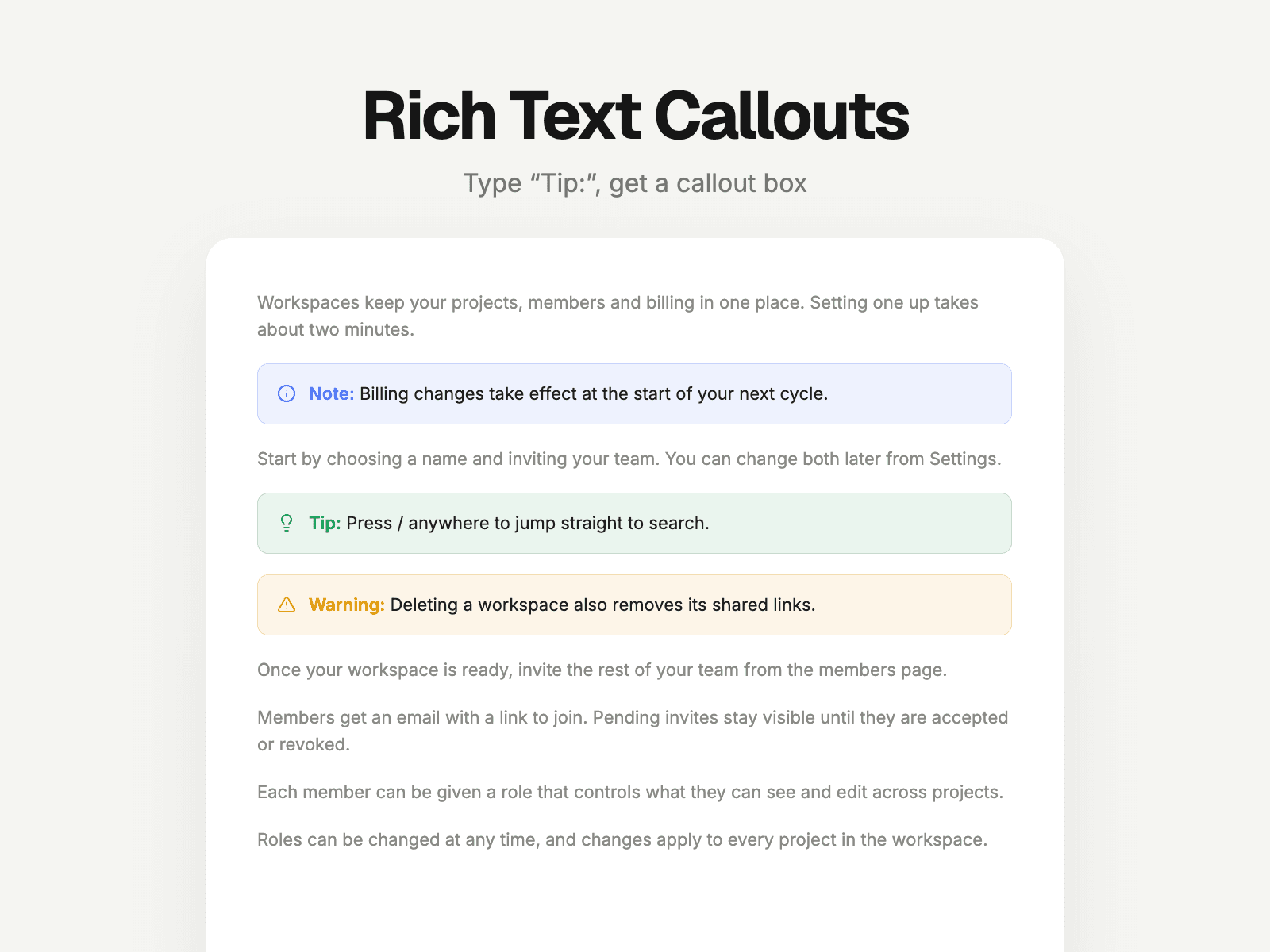
Callout boxes, straight from your CMS text. Writers type "Note:", "Tip:" or "Warning:" at the start of a paragraph. Rich Text Callouts turns those paragraphs into clean, colored callout boxes on every blog post and docs page. No components to insert, nothing to change per item.
What it does
Finds paragraphs and quotes that start with your markers, including in CMS Rich Text
Works with an emoji in front too ("💡 Tip: …")
Bold markers become a colored label, optionally in caps or on their own line
Tints adapt to light and dark pages
Editable
Callout types: marker, extra spellings, icon (6 built-in), color
Look: Soft, Outline or Side Bar, tint, radius, padding, spacing, icon on/off
Scan the whole page or one section; style paragraphs, quotes, or both
Great for Docs, help centers, changelogs, course pages, tutorials and long-form blogs.
How to use
Drop Rich Text Callouts anywhere on your page (or CMS page). It takes no space on the live site.
In your CMS, start a paragraph with "Note:", "Tip:", "Warning:" or "Important:".
Preview or publish. Those paragraphs become callout boxes.