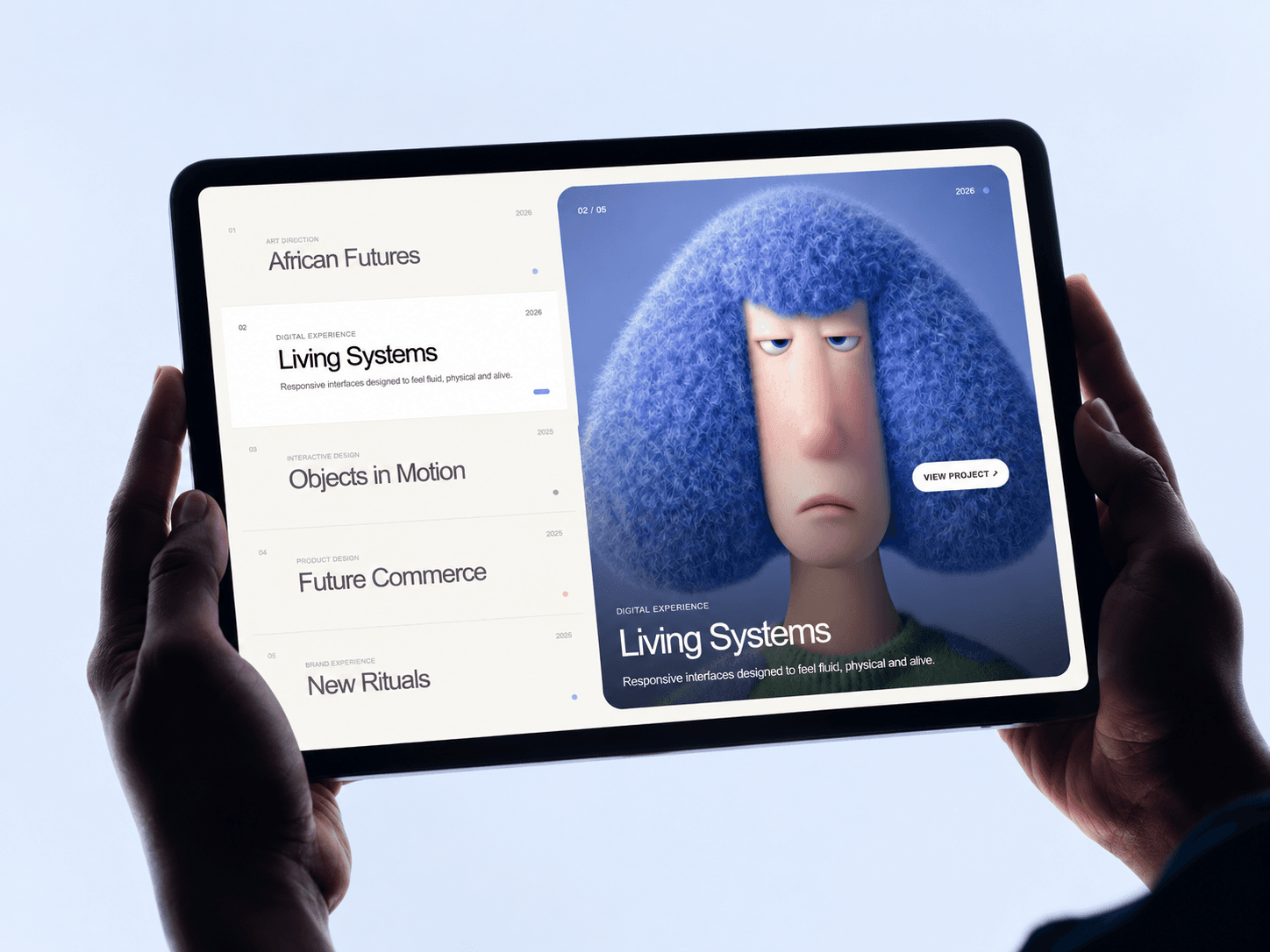
A simple portfolio shouldn’t make visitors choose between looking at the work and reading about it.
So I built Split Portfolio Pro.
Your projects live in an interactive editorial list on one side while the selected work takes over the visual panel beside it.
Hover through projects and watch the imagery transition smoothly with parallax, subtle depth and vertical or horizontal reveals.
You can customize the projects, typography, colors, image treatment, motion, layout, autoplay and responsive behavior directly inside Framer.
I also added an optional mini Playground so visitors can switch the layout, change the reveal direction and play with the motion themselves.
Built for designers, agencies, studios, photographers, architects and anyone who wants their portfolio to feel more like an experience than a grid.
Split Portfolio Pro — now for Framer.