Keep the backend your business runs on. Give it the storefront it deserves.
DEMO: https://mercato-template.framer.website/
WooCommerce already handles your orders, payments, shipping and tax. It shouldn't also decide what your storefront looks like.
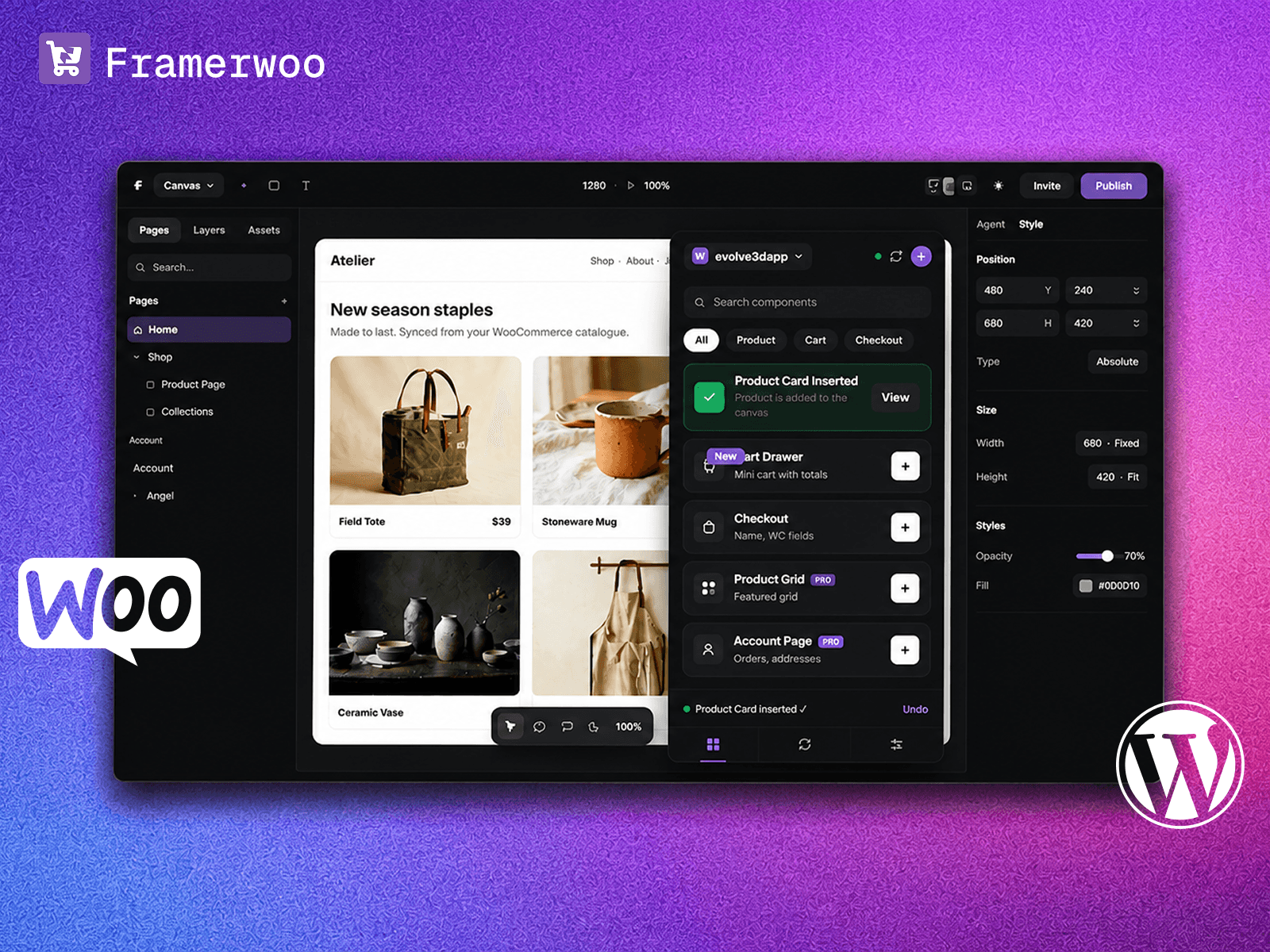
FrameWoo connects your WooCommerce store to Framer. Your catalogue syncs into Framer CMS, you design the storefront on the canvas with real commerce components, and everything transactional stays in WooCommerce. No replatforming. No theme to fight.
How it works
Connect with a read-only WooCommerce REST API key. Nothing about your setup changes.
Sync your catalogue into Framer CMS: prices, stock, categories, tags, attributes, variations, ratings, images and galleries. Re-run to update only what changed.
Drop commerce components onto the canvas and style them like any Framer layer.
Publish. Framer serves the front end, WooCommerce keeps the checkout.
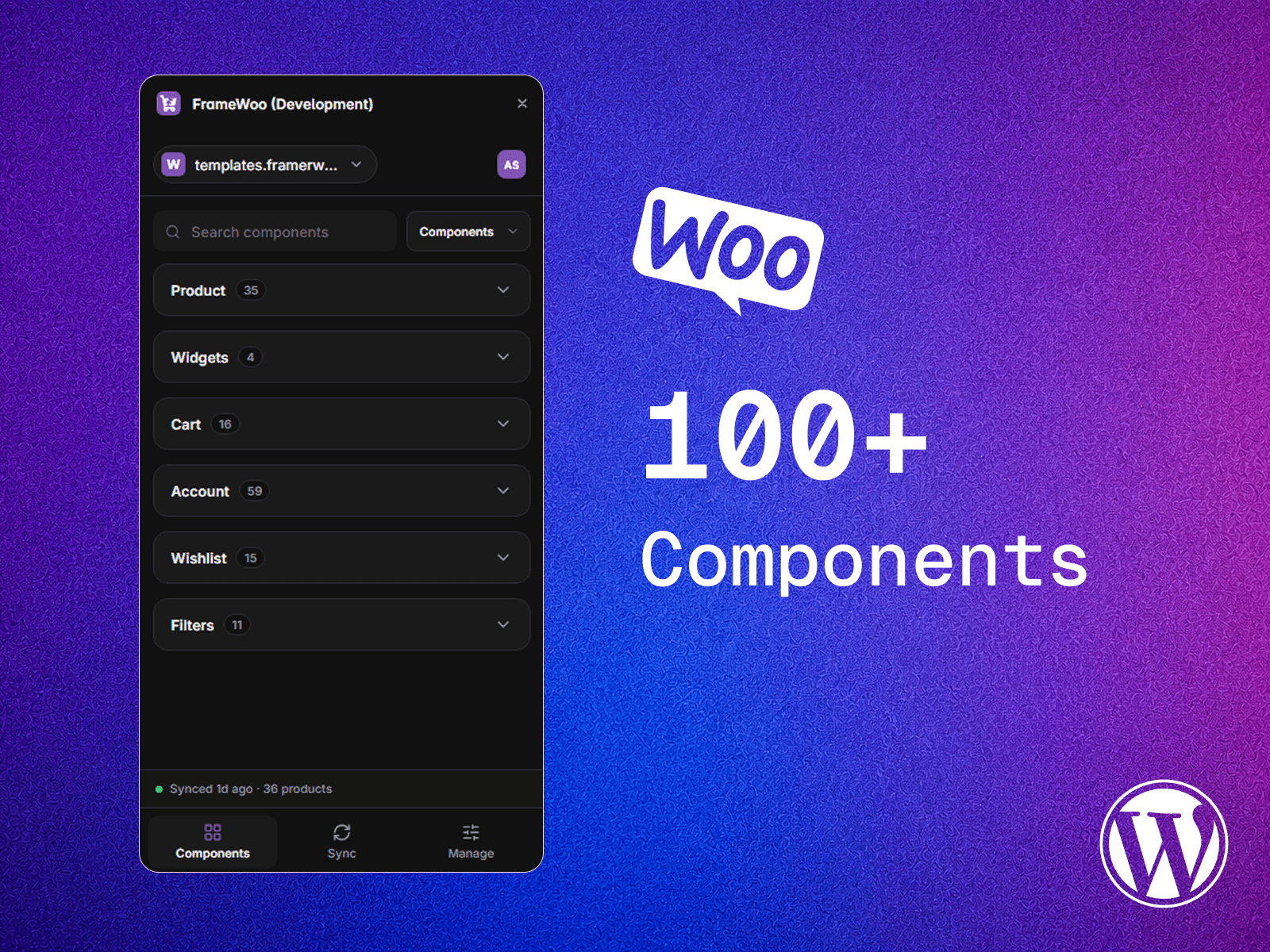
100+ components
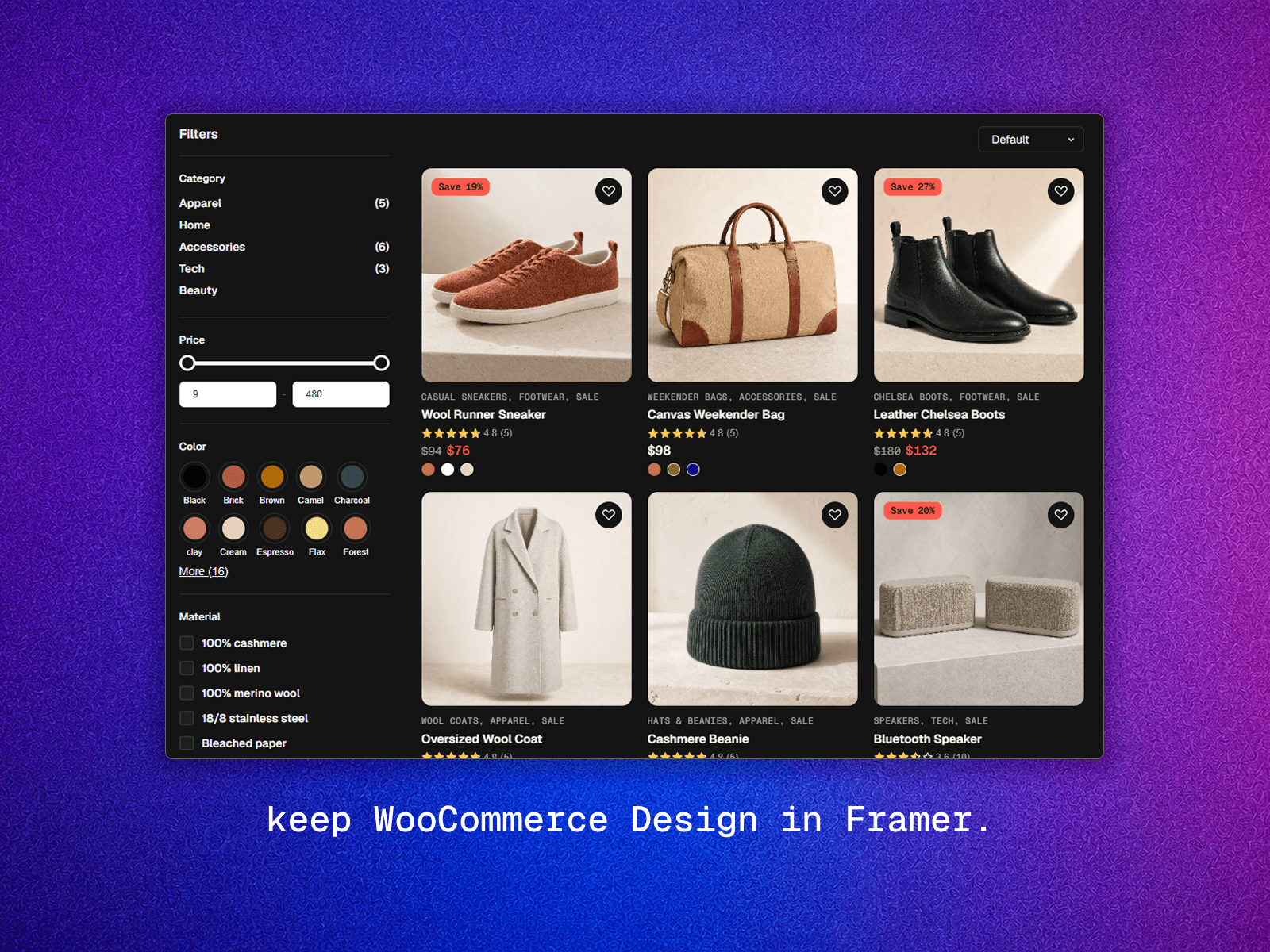
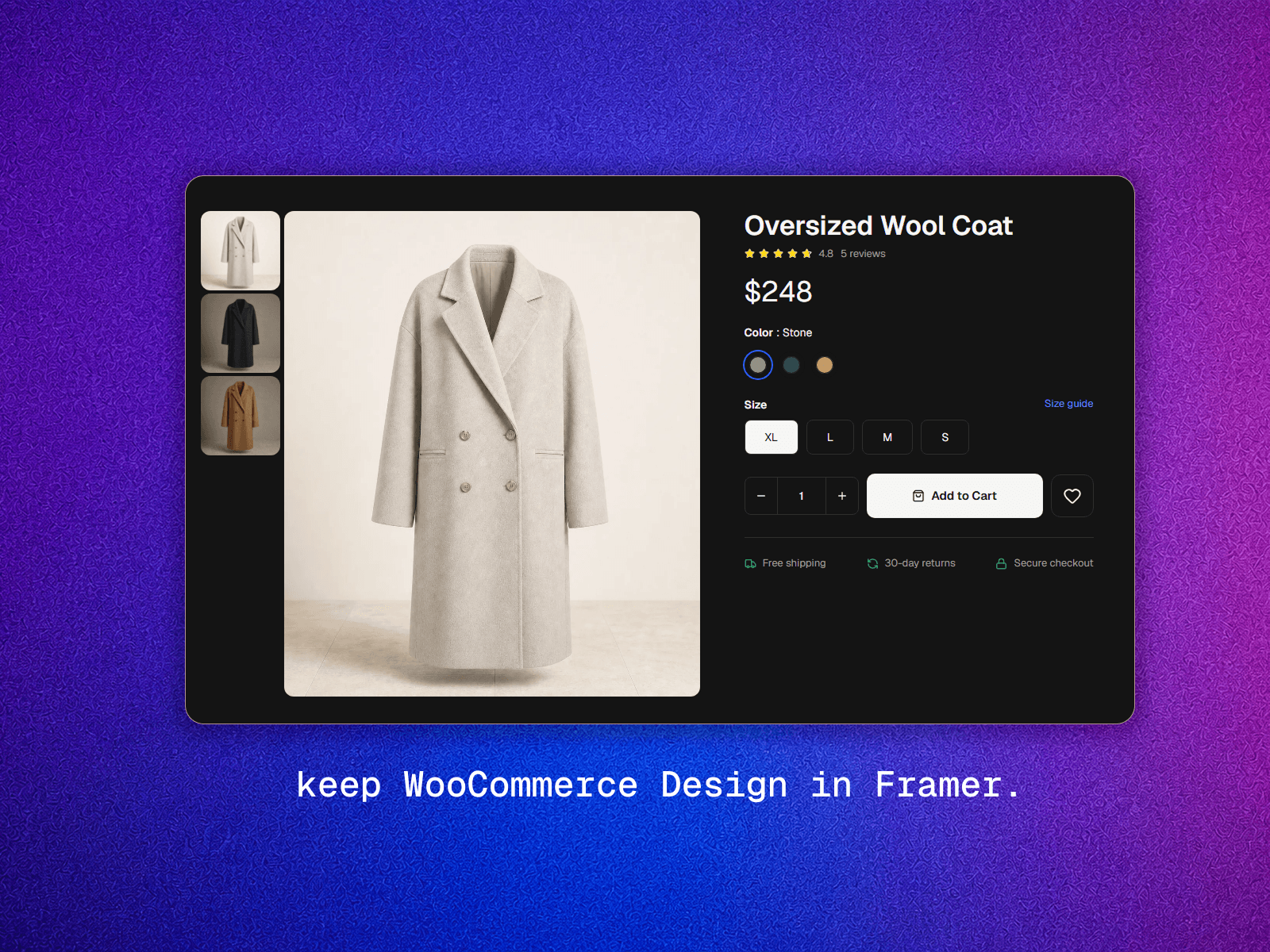
Product pages, galleries, variant pickers, price and stock indicators. Reviews and ratings. Cart page, cart drawer, coupons, free-shipping bar. Filters, search, sort and real pagination. Map your own Woo meta keys into CMS fields.
The part most storefront plugins skip
Customer accounts are the largest group in the library: login, registration, profiles, addresses, order history, refund requests, wishlists that persist across visits, and signed-in-only pages. Registration to refunds, on pages you design.
What never moves
Checkout, orders, payments, shipping methods and taxes stay native WooCommerce. Only the front end is published from Framer.
Pricing
Free for one store and 15 products. Paid plans are one-time per published store, with lifetime updates and support included. Nothing to renew, and expiry never disables a published storefront.
Requires your own WordPress/WooCommerce hosting and a Framer plan. Compatibility with specific third-party Woo extensions should be tested.

Keep the backend your business runs on. Give it the storefront it deserves.
DEMO: https://mercato-template.framer.website/
WooCommerce already handles your orders, payments, shipping and tax. It shouldn't also decide what your storefront looks like.
FrameWoo connects your WooCommerce store to Framer. Your catalogue syncs into Framer CMS, you design the storefront on the canvas with real commerce components, and everything transactional stays in WooCommerce. No replatforming. No theme to fight.
How it works
Connect with a read-only WooCommerce REST API key. Nothing about your setup changes.
Sync your catalogue into Framer CMS: prices, stock, categories, tags, attributes, variations, ratings, images and galleries. Re-run to update only what changed.
Drop commerce components onto the canvas and style them like any Framer layer.
Publish. Framer serves the front end, WooCommerce keeps the checkout.
100+ components
Product pages, galleries, variant pickers, price and stock indicators. Reviews and ratings. Cart page, cart drawer, coupons, free-shipping bar. Filters, search, sort and real pagination. Map your own Woo meta keys into CMS fields.
The part most storefront plugins skip
Customer accounts are the largest group in the library: login, registration, profiles, addresses, order history, refund requests, wishlists that persist across visits, and signed-in-only pages. Registration to refunds, on pages you design.
What never moves
Checkout, orders, payments, shipping methods and taxes stay native WooCommerce. Only the front end is published from Framer.
Pricing
Free for one store and 15 products. Paid plans are one-time per published store, with lifetime updates and support included. Nothing to renew, and expiry never disables a published storefront.
Requires your own WordPress/WooCommerce hosting and a Framer plan. Compatibility with specific third-party Woo extensions should be tested.