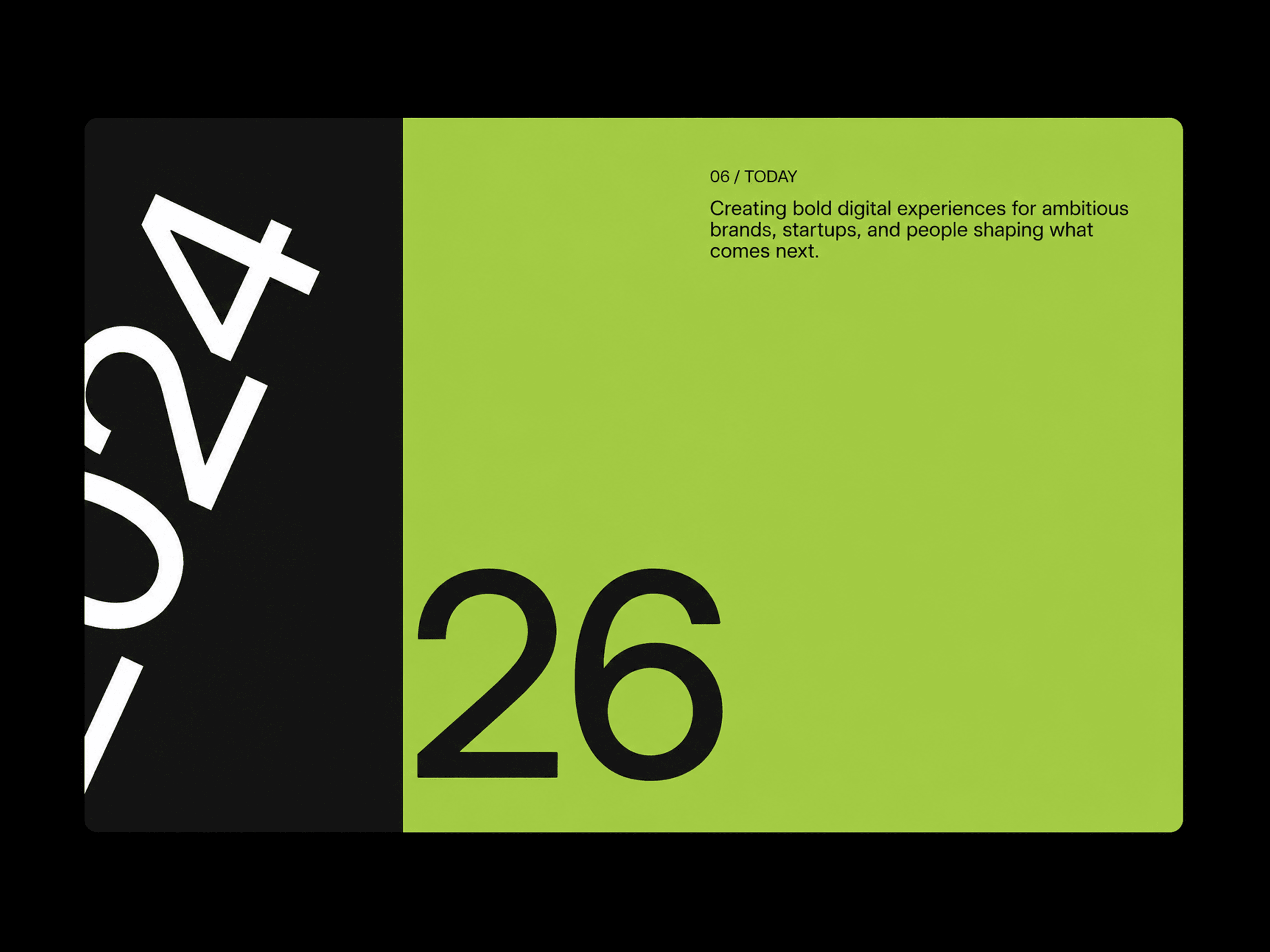
Scroll Timeline is an interactive Framer code component designed to showcase milestones, stories, company history, or project journeys through a full-screen scroll-driven experience. As visitors scroll, each section smoothly reveals itself while the large year transitions into view, creating a cinematic way to present a sequence of moments.
Reveal timeline sections progressively as the user scrolls.
Large year typography smoothly rotates and transitions between milestones.
Each milestone supports its own background and text colors.
Sticky full-screen frame keeps the timeline experience focused while scrolling.
Adjustable scroll length for controlling the pacing between sections.
Optional transition smoothing for a more fluid scroll experience.
Static rendering fallback prevents scroll animations from running in the Framer Canvas or exports.
Scroll Timeline includes Framer property controls for typography, colors, spacing, frame styling, scroll behavior, and individual timeline content.
Timeline Items — Add, remove, and reorder milestones.
Content — Edit labels, descriptions, and large year text.
Colors — Set individual background and text colors for every milestone.
Typography — Customize label, description, and large year fonts.
Layout — Adjust frame inset, corner radius, panel padding, and content width.
Scroll Behavior — Control total scroll height and transition smoothing.
The component maps each timeline item to a full-screen panel inside a sticky frame. As the visitor scrolls through the component, scroll progress is converted into a sequence between panels, revealing the next milestone while the current one moves away. The large year rotates progressively during the transition, while each panel maintains its own content and styling. On the Framer Canvas or during export, the component automatically switches to a static styled snapshot instead of running scroll listeners or animations.

Scroll Timeline is an interactive Framer code component designed to showcase milestones, stories, company history, or project journeys through a full-screen scroll-driven experience. As visitors scroll, each section smoothly reveals itself while the large year transitions into view, creating a cinematic way to present a sequence of moments.
Reveal timeline sections progressively as the user scrolls.
Large year typography smoothly rotates and transitions between milestones.
Each milestone supports its own background and text colors.
Sticky full-screen frame keeps the timeline experience focused while scrolling.
Adjustable scroll length for controlling the pacing between sections.
Optional transition smoothing for a more fluid scroll experience.
Static rendering fallback prevents scroll animations from running in the Framer Canvas or exports.
Scroll Timeline includes Framer property controls for typography, colors, spacing, frame styling, scroll behavior, and individual timeline content.
Timeline Items — Add, remove, and reorder milestones.
Content — Edit labels, descriptions, and large year text.
Colors — Set individual background and text colors for every milestone.
Typography — Customize label, description, and large year fonts.
Layout — Adjust frame inset, corner radius, panel padding, and content width.
Scroll Behavior — Control total scroll height and transition smoothing.
The component maps each timeline item to a full-screen panel inside a sticky frame. As the visitor scrolls through the component, scroll progress is converted into a sequence between panels, revealing the next milestone while the current one moves away. The large year rotates progressively during the transition, while each panel maintains its own content and styling. On the Framer Canvas or during export, the component automatically switches to a static styled snapshot instead of running scroll listeners or animations.